

FAQ
Frequently asked
questions.
Quick answers to the things people ask us most.
Getting started
Do I need a subscription?
Video Wall itself is a paid app in the Ring Appstore: $1.99/month per camera with a 30-day free trial, added to your Ring subscription. It's managed through your Ring account and set up when you tap Connect App during setup. You also need an active Ring Protect plan on your account — that's what gives the Ring API the right to stream your camera feeds to a third-party app. Without both, Video Wall can't connect to Ring.
Can I use Video Wall outside the US?
Not yet — Video Wall is available in the United States for now. The plan is an add-on in the Ring Appstore, and Ring currently offers that store to US Ring accounts — so a Ring account registered in another country can’t start the trial or subscribe, even on a TV where the app installs. Ring is opening the Ring Appstore in more countries, and Video Wall will be available in each as it lands. There’s nothing you’ll need to do differently when your country opens: install the app, connect it in the Ring app, and pair your TV as everyone else does.
Which devices does Video Wall run on?
Apple TV: Apple TV HD or Apple TV 4K running tvOS 17 or later.Fire TV: Any Fire TV — Stick, Cube, or a Fire TV smart TV.Google TV: Any Google TV or Android TV device running Android 7.1 or later.Roku: Roku players and Roku TVs.Mac: Any Mac running macOS 14 Sonoma or later — free in the Mac App Store.Windows: Any PC running Windows 10 (version 2004) or later, including Windows 11, x64 or ARM64 — free in the Microsoft Store.Web Browser: Any computer, tablet, or smart TV with a current web browser — open app.videowalllive.com, nothing to install.
Is there a Ring app for Windows?
Yes. Video Wall Live for Windows is free in the Microsoft Store and shows every Ring camera and doorbell live in one window on your PC. It needs Windows 10 version 2004 (build 19041) or later, including Windows 11, on an x64 or ARM64 PC, plus a Ring Protect plan and a Video Wall Live subscription from the Ring Appstore, with a 30-day free trial. One plan covers every TV, Mac, PC and browser on your Ring account. It adds camera windows you can pin on top of other apps, Windows notifications, a doorbell pop-up and Kiosk Mode. Video Wall Live is an independent app, not made by Ring. Windows setup.
Can I use Video Wall on more than one TV?
Yes — up to 10 TVs in a single household, Apple TV, Fire TV, Google TV, and Roku in any mix, all on one Ring account and included at no extra charge. To add another, install Video Wall on the new TV, then on an already-paired TV open Settings and choose Pair Device (on Apple TV it’s under Settings → Devices), scan the on-screen QR code with your phone, and enter the new TV’s 8-character code — or, in the Video Wall app in your browser, open Settings → TVs → Add a TV. You can also open the wall in a browser at app.videowalllive.com on a computer, tablet, or the TV’s own browser. Full steps for adding a TV.
Your TV
Can I watch Ring cameras on my TV without Alexa?
Yes. Alexa’s live view is Amazon’s own feature — it brings up one camera when you ask out loud, then closes itself after a few minutes. Video Wall doesn’t use Alexa at all: it’s an app you open on the TV, it shows every camera at once, and it stays up until you close it. Nothing to say out loud, and no Echo device involved.
Is this the same as Ring's Multi-Cam Live View?
Same idea, different screen. Ring’s Multi-Cam Live View shows several cameras at once in the Ring app on your phone or tablet. Video Wall does it on your TV — every connected camera and doorbell in one live grid on the big screen, with fullscreen playback, audio, and event history. You can use both; they don’t conflict.
Does Video Wall work on Fire TV?
Yes — Video Wall is on the Amazon Appstore for Fire TV Sticks, Cubes, and Fire TV smart TVs. It’s the only app that shows every Ring camera at once on Fire TV — the built-in Alexa integration shows one camera at a time and times out after a few minutes. See how they compare.
Does Video Wall work on Google TV or Android TV?
Yes — Video Wall is on Google Play for Google TV and Android TV — Chromecast with Google TV, Sony, TCL, Hisense, and Philips TVs, and the Nvidia Shield. It needs Android 7.1 or later. Google Assistant on these TVs can pull up one camera by voice; Video Wall shows every Ring camera at once in a live grid.
Can I watch Ring on my LG, Samsung, or other smart TV?
Yes, and on most TVs you don’t need to buy anything. If your TV is a Fire TV Edition — Amazon Omni, Toshiba, Insignia — or has Google TV built in (Sony, TCL, Hisense, Philips), install Video Wall directly. On any other brand, including LG, Samsung and Vizio, open the TV’s own browser — usually called Internet or Web Browser — and go to app.videowalllive.com to run the full wall with nothing to install (browser setup steps). If your TV’s browser is old or awkward to use, a Fire TV Stick (around $30), a Chromecast with Google TV, an Apple TV, or a Roku player gives you the native app instead. The built-in Ring options on these TVs show a single camera at best. We cover every brand on watching Ring on your TV.
Does Video Wall work on Roku?
Yes. Video Wall is in the Roku Channel Store — add it there and Roku sends it to your player or Roku TV, or search Video Wall on the device itself, then follow the Roku setup steps. It also runs on Apple TV, Fire TV, and Google TV, and in any current web browser at app.videowalllive.com. Any other TV can join with an inexpensive Fire TV Stick, Chromecast with Google TV, or Apple TV box — or just its own browser.
Your cameras
Which Ring cameras and doorbells work?
All of them, as long as they're connected to your Ring account. 24/7 continuous recording is only available on Pro, Power Pro, and Plug-in cameras; battery cameras stream on demand. One exception: cameras running Ring Edge (local processing, usually with a Ring Alarm Pro) show snapshots and event clips instead of live video — Ring’s partner platform doesn’t stream from those yet.
Will Video Wall drain my Ring camera batteries?
Holding a battery camera live continuously will, yes. On your TV, switch battery cameras to Auto in Settings — feeds stay close to live, but Ring is allowed to pause the radio between events. How to switch modes →
I just added a new camera in Ring — how do I get it on the wall?
It won’t appear on its own — a new camera has to be connected to Video Wall, which is also what adds it to your subscription. In the Ring app, tap the menu, then Apps, then under My Apps choose Video Wall Live. Your new camera sits in the Not connected half of the list — tap Connect, then OK. It joins the wall on every paired TV within seconds, and is added to your plan at the same per-camera rate. Full steps with screenshots. Don’t sign out of the TV app to fix this — it doesn’t refresh anything, and you would have to pair that TV again afterwards.
Using the app
What is Auto-Cycle?
Auto-Cycle shows each camera full screen, one at a time, switching automatically. It's available when you have two or more cameras. Start it from the play button in the sidebar. Once it's running, Play/Pause pauses, the left and right arrows switch cameras, and Back (Menu on Apple TV) exits. In Settings → Auto-Cycle, set the Minutes and Seconds each camera stays on screen (10 seconds by default), and under Cameras in Auto-Cycle, select a camera to include or exclude it. Full Auto-Cycle guide.
Can I open a camera straight from the Apple TV home screen?
Yes. Put Video Wall in the top row of the Apple TV home screen and the Top Shelf above it shows your cameras with a recent snapshot of each. Select one to jump straight into that camera full screen. The shelf refreshes on its own while the app runs.
Can I keep a camera on screen while I watch something else?
Yes. On Apple TV, open a camera full screen and choose Picture in Picture: it floats in a corner over the Home screen and any other app, so the front door stays in view during a film or a game, and a doorbell ring moves it to the doorbell. On a Mac, open a camera and click Picture in Picture, or pop it into its own window and pin it on top of everything. On a Windows PC, open a camera in a new window and click Float on Top to keep it above other apps. In the web app, Chrome and Edge can pop a camera out into a window that stays above other apps. How Picture in Picture works.
Can I hear audio from my cameras?
Yes. Turn on Fullscreen audio in Settings (on Apple TV it’s Camera sound in full screen, under Audio) and a camera you open full screen plays its sound. Audio is one-way only — you hear the camera, there’s no talk-back. On Fire TV, Google TV, Roku and the web app the grid stays silent. On Apple TV the wall can play sound too: turn on Sound on the highlighted camera and you hear whichever camera you rest on, or pick a Background sound to play underneath. More on audio & sound.
How many cameras can I watch at once?
As many as you own — but how many stream live at the same moment depends on the device. Every tile is a separate video stream being decoded simultaneously, and a thirty-dollar streaming stick can hold far fewer at a time than an Apple TV 4K or a computer. Past that ceiling tiles stutter or never load — hiding a few cameras, or putting the occasional ones on AUTO so they show a snapshot until you open them, clears it up. That’s hardware, not a setting. In a browser the wall manages it for you: it keeps a set number live and shows the rest as snapshots that go live as you scroll to them.
Does the TV show who's at the door when someone rings?
On Apple TV, yes. While Video Wall is on screen, a doorbell ring opens that doorbell full screen, usually within 10 seconds. If a camera is floating in Picture in Picture over a film or a game, the window switches to the doorbell instead. It’s on by default; turn it off in Settings → Display → Doorbell ring opens the camera. When Video Wall is closed nothing happens, because Apple TV pauses apps that aren’t on screen. Fire TV, Google TV, Roku and the web app don’t do this yet. On a Windows PC, the app can open the doorbell’s camera in a floating window with sound when someone rings — turn it on in Settings › Notifications. More on the doorbell pop-up.
Does Video Wall send notifications?
On a TV or in the web app, no. The Mac and Windows apps do: turn on notifications in Settings › Notifications and choose which events (doorbell rings, people, packages, vehicles, animals, other motion) and which cameras. On a Windows PC they keep coming after you close the wall while the notification-area icon is on. On Apple TV, a doorbell ring does open that camera full screen while Video Wall is open, and moves a camera floating in Picture in Picture to the doorbell. On a TV, motion never switches cameras. To see what happened, on Apple TV and in the web app the Activity widget lists new motion and doorbell events within about half a minute, each with a snapshot. Your Ring app keeps alerting you as normal.
Something's not working
Why is one of my cameras showing a black screen?
Usually that camera is set to 2K. A recent Ring update affects live streaming for 2K feeds — switch it to 1080p in the Ring app (tap the camera → Video Settings → Video Resolution) and the live view returns within a few seconds. Mostly affects Floodlight Cam Pro cameras; we’ve reported it to Ring and are tracking a fix. Full steps for a camera that won’t load.
Why does one of my cameras show snapshots instead of live video?
That camera is running Ring Edge — Ring’s local video processing, usually part of a Ring Alarm Pro setup. Ring’s platform for partner apps doesn’t support live streaming from Ring Edge cameras, and that applies to every third-party app, not just Video Wall. The camera still works on your wall: it shows a snapshot view that refreshes regularly, and its motion events and clips play normally. If Ring adds partner streaming for these cameras, we’ll turn live view on for them.
Why does my Ring Elite show several tiles for one camera?
Each tile is one lens. The Elite 180 is three lenses in one housing, so it appears as three live tiles — View 1, View 2, View 3 — that together cover everything the camera sees; the Elite 360 appears as six. The wide panorama in the Ring app is stitched by Ring and isn’t offered to partner apps, so the wall shows the lenses side by side instead. An Elite counts as one camera on your plan, however many tiles it puts on the wall. If you’re still seeing a single View 1 tile, your wall hasn’t refreshed its camera list yet — leave the app and reopen it. More on cameras that look wrong.
Why does my video keep cutting out?
Almost always the camera's Wi-Fi signal — if one feed is shaky while the others are fine, it's that camera's connection, not Video Wall. Move the camera closer to your router or add a mesh point. Battery cameras also drop on their own when Ring pauses the stream to save power; switching that camera to Auto in Settings stops the loop — see LIVE vs AUTO.
Why is one of my cameras offline?
Video Wall reflects whatever Ring reports. If a camera is offline here, it's offline in the Ring app too — usually a power, Wi-Fi, or firmware issue at the camera itself. Fix it from the Ring app and it'll come back automatically.
Can I change the time zone or remove the Ring logo on my video?
No. Ring adds the logo, the camera ID and the timestamp directly to each video stream for security, so they are part of the picture before it reaches any app. The timestamp is UTC, the same standard as GMT, which is why it can read hours ahead of your local clock. Ring doesn’t currently offer a way to remove the watermark or change its time zone, so there’s no setting for it in Video Wall either. More on this.
Privacy & trust
Can you see my video?
No. Your cameras stream directly from Ring to your TV — Video Wall just brokers the secure connection so the feeds can reach it. We never see your video, never store it, and have no way to watch it on our end. The app is just the grid you're looking at; the streams themselves don't pass through our servers.
Is this app official?
Video Wall is an independent, third-party app. Ring doesn’t build or operate it. It’s available in the Ring Appstore and integrates with Ring cameras and doorbells through Ring’s developer platform.
Account & billing
How do I log out?
On your TV, open Settings (then Account on Apple TV), select Sign out, and confirm. To use Video Wall again on this TV you'll need to pair it with your Ring account from scratch.
How do I cancel my subscription or remove Video Wall?
Video Wall bills as one add-on per camera, so cancelling is per camera. In your Ring account, open the plan for your location, scroll to Billing → Manage or Cancel Plan, and each camera appears as its own Video Wall line. Select Cancel Add-on, confirm, and repeat for every camera you want to stop paying for. Do that before removing the app — removing Video Wall under Apps doesn’t cancel the add-ons, so the billing would carry on. You can also have Ring Customer Support cancel it for you, on 800-656-1918. Cancel on any day before your next billing date to avoid future charges — and you can resubscribe at any time. Full steps, with screenshots.
What will the charge look like on my statement?
Video Wall Live. Ring handles the billing, but the line on your card or bank statement reads Video Wall Live rather than Ring — one line per camera add-on, at $1.99/mo per camera. During the 30-day free trial you may instead see a $1 authorization per camera: those are temporary holds to check the card, not charges, and they drop off within a few days. More on billing & refunds.
The streamers we recommend
All four platforms run Video Wall and the wall looks the same on each. What changes is how many cameras stay smooth at once, so these are the ones we’d suggest — fastest first.
Our scores, out of 10 — performance is how many cameras stay smooth at once, value is what you get for the money.
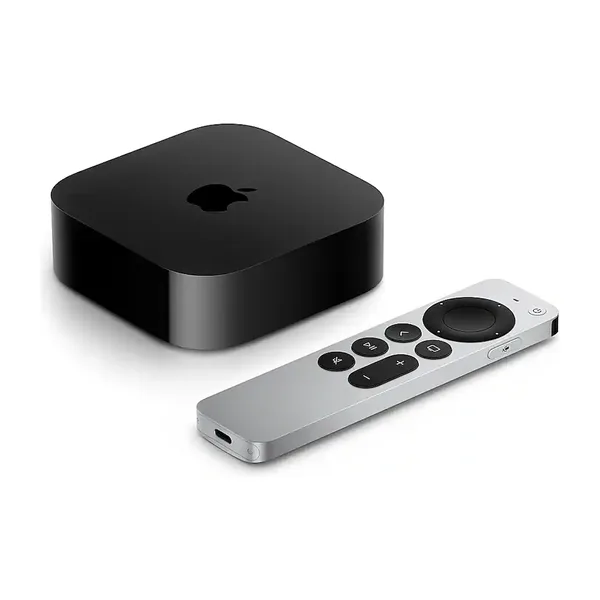 Apple TV 4K (4th generation)Pre-order · Nov 13Our pickThe newest and most powerful box here — holds the most cameras smoothly and sits closest to live.9.5Performance6.5ValueView on Amazon ↗
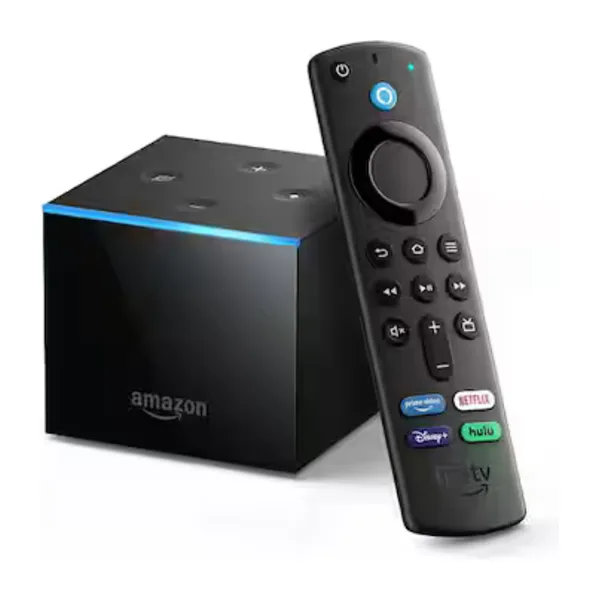 Fire TV CubeAmazon's fastest, with Alexa built in. Comfortable with a full wall.9.0Performance7.0ValueView on Amazon ↗
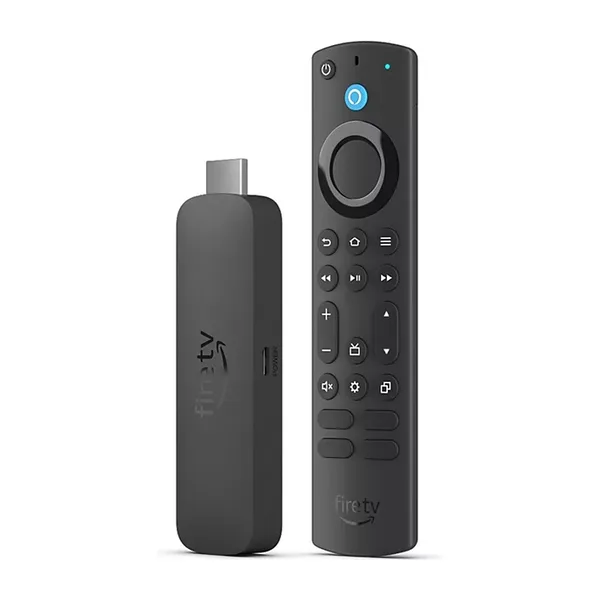 Fire TV Stick 4K MaxThe quickest Fire TV stick — a good middle if the Cube is more than you need.8.0Performance8.5ValueView on Amazon ↗
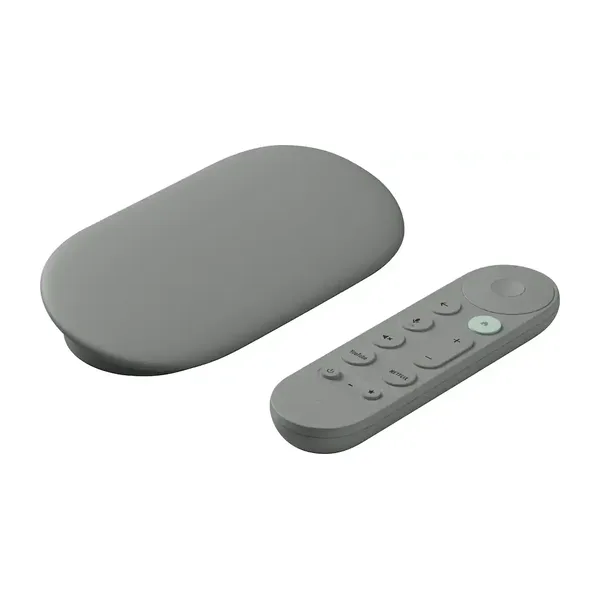 Google TV Streamer 4KThe pick for a Google household, and the successor to the Chromecast.7.5Performance7.5ValueView on Amazon ↗
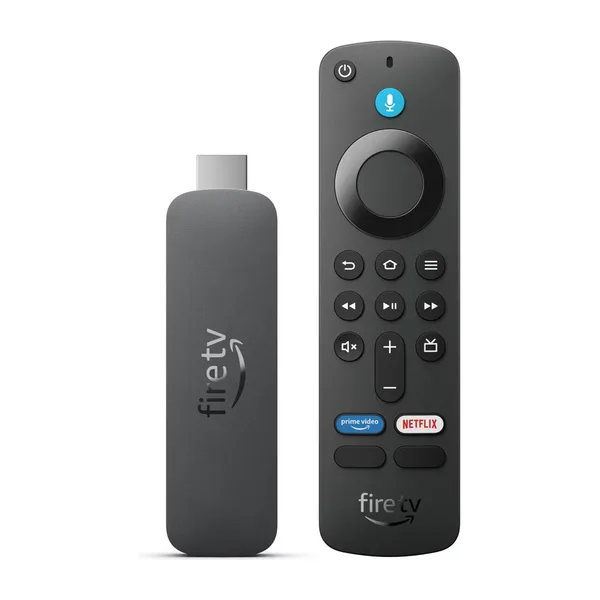 Fire TV Stick HDThe least expensive way in. Fine for a handful of cameras on an HD set.6.0Performance9.5ValueView on Amazon ↗
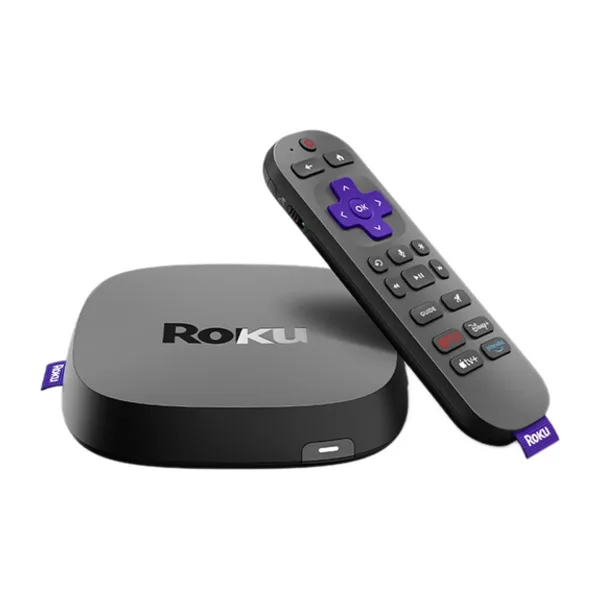 Roku UltraRoku's fastest — wired Ethernet and Wi-Fi 6, and the one to pick for a full wall on Roku.7.0Performance7.0ValueView on Amazon ↗
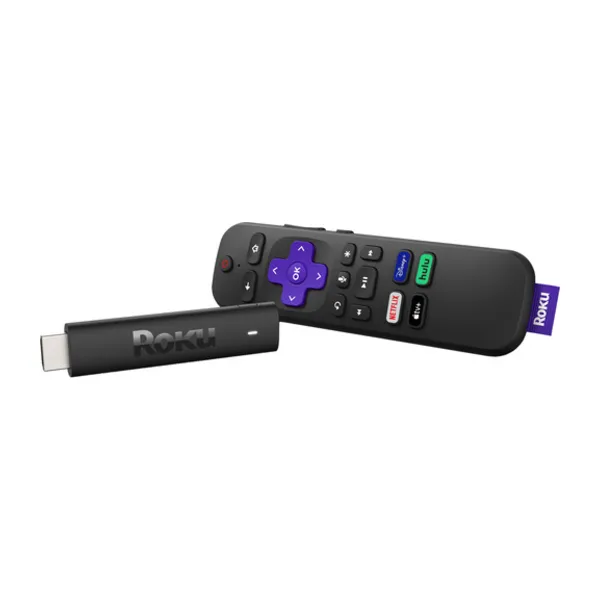 Roku Streaming Stick HDRoku's entry stick — cheap and simple, and a few seconds behind live.5.5Performance9.0ValueView on Amazon ↗
As an Amazon Associate we earn from qualifying purchases.
Still need help?
Tell us what’s going on — we read every message and usually reply same-day.
Contact support