Video WallLIVE
TermsPrivacy

We use Google Analytics to see which pages people read and where setup goes wrong. It’s the only thing here that sets a cookie — no advertising trackers, and nothing sold to anyone.

Turn it off and we don’t load it at all — the script simply never runs.

Analytics cookies
On

Saved in this browser, on this device. Changing it reloads the page. Privacy policy

Your Ring cameras.
Finally on your TV.

See every Ring camera live — all at once, or any one full screen.

Start your free trial

Free for 30 days, then $1.99/month per camera. Cancel anytime.
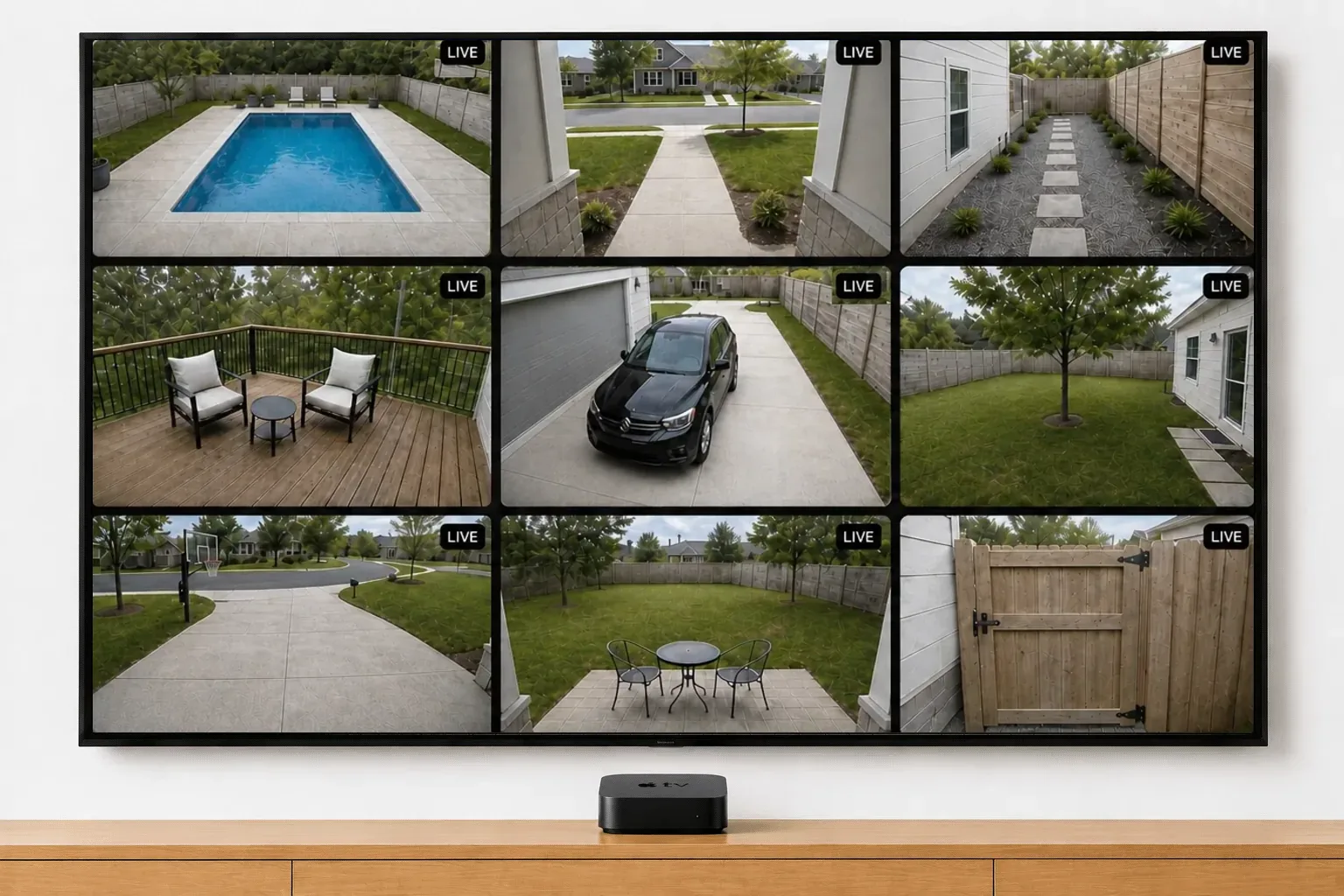
Nine Ring cameras live at once in a 3x3 grid on a wall-mounted TV — pool, front walk, driveway, deck, back yard and side gate
Multi-Cam Live View

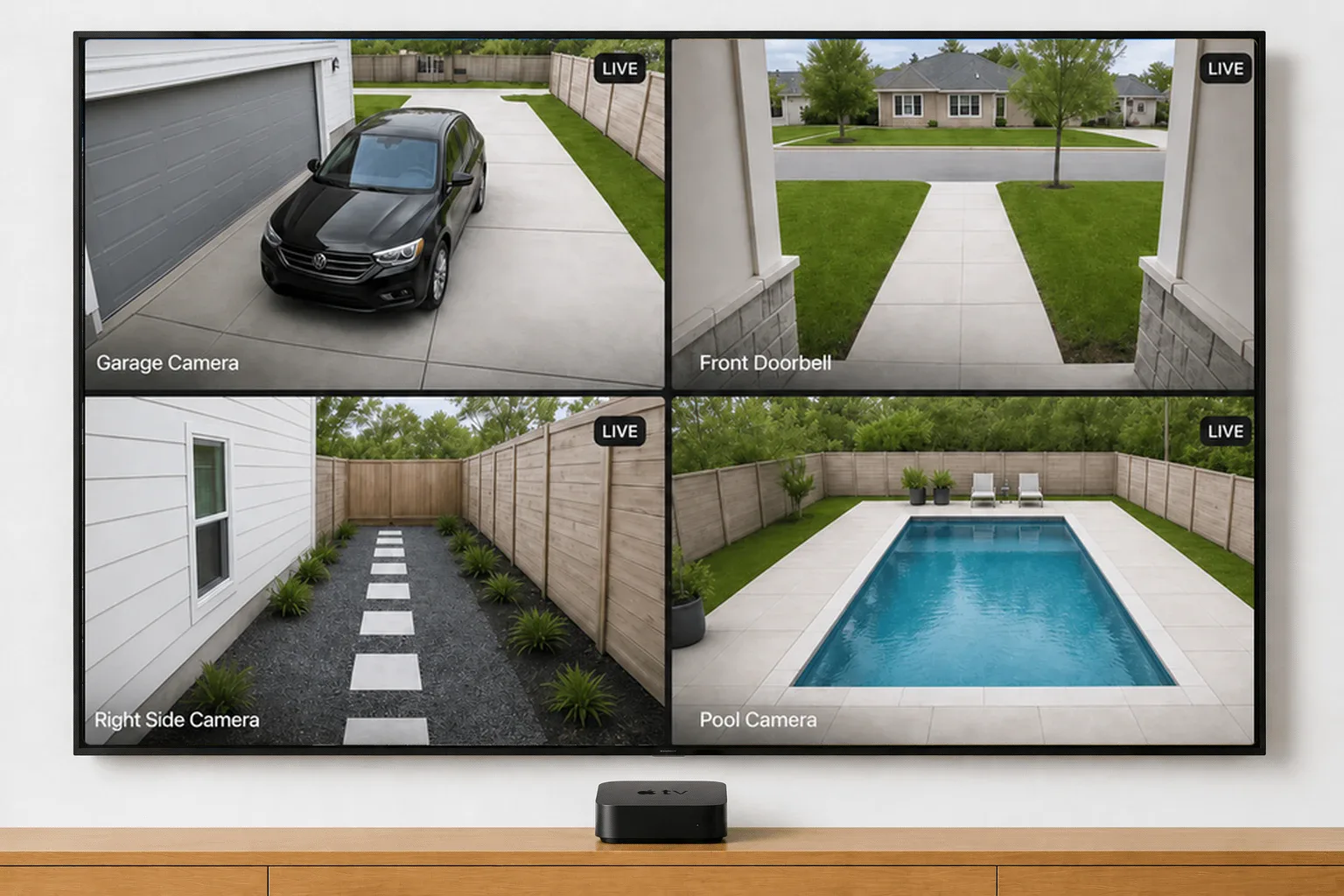
All your cameras, at once.

Multi-Cam Live View on every TV. Every camera, every doorbell, all live at the same time.

Fullscreen and Auto-Cycle

Any camera, full screen.

Tap a feed and it goes fullscreen on the TV, live audio included. Or start Auto-Cycle and the TV flips through every camera for you, one at a time.
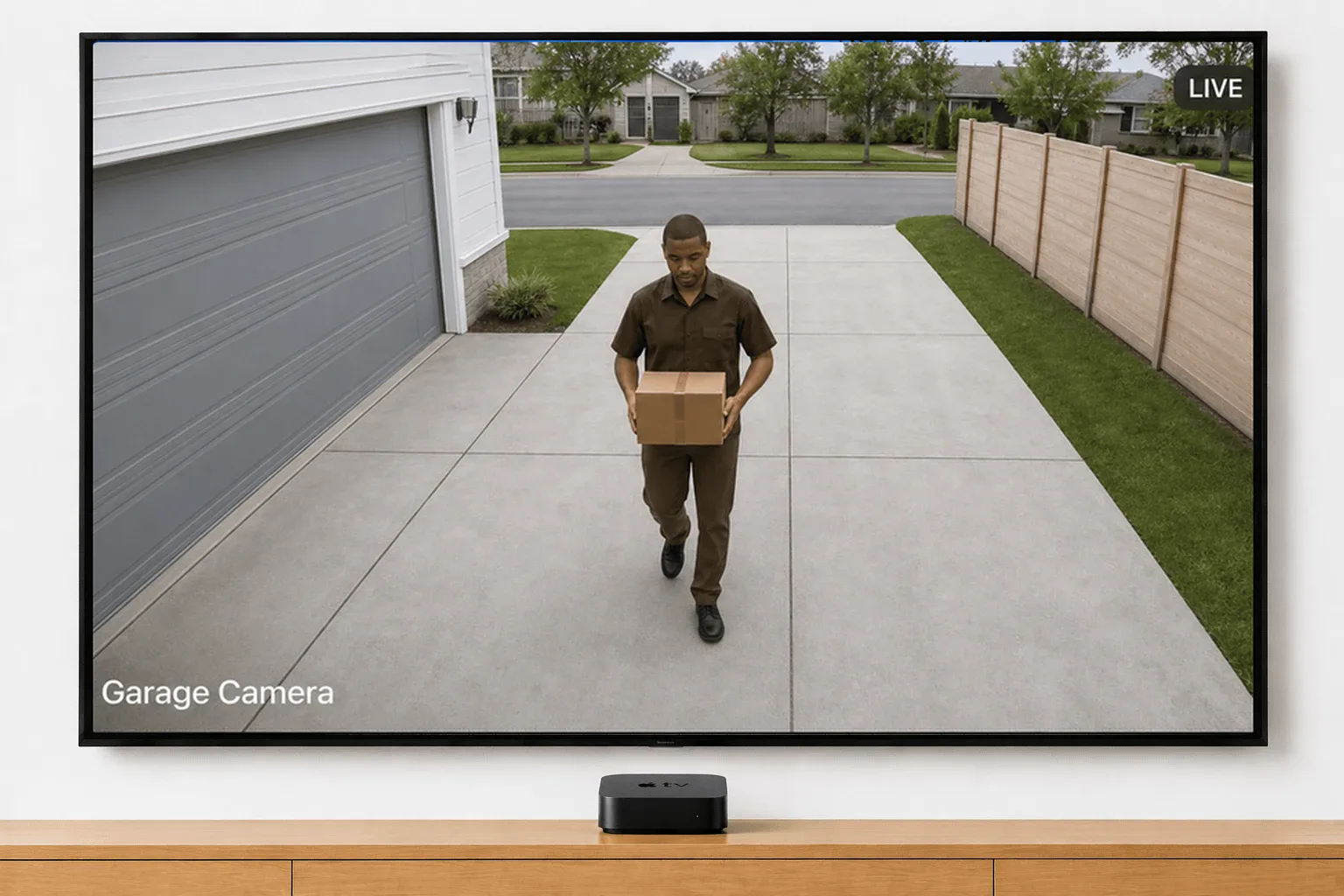
A delivery driver carrying a parcel up the driveway, filling the TV in fullscreen live view from a Ring Garage Camera
A four-camera Ring wall on a TV, each feed labelled: Garage Camera, Front Doorbell, Right Side Camera and Pool Camera
Your layout

Set up your wall, your way.

Show only the cameras you care about, in the order you want to see them — and protect battery life on the ones that need it.

Event history

Catch up from the couch.

Scroll through the day's motion clips and events for each camera, right from the remote.
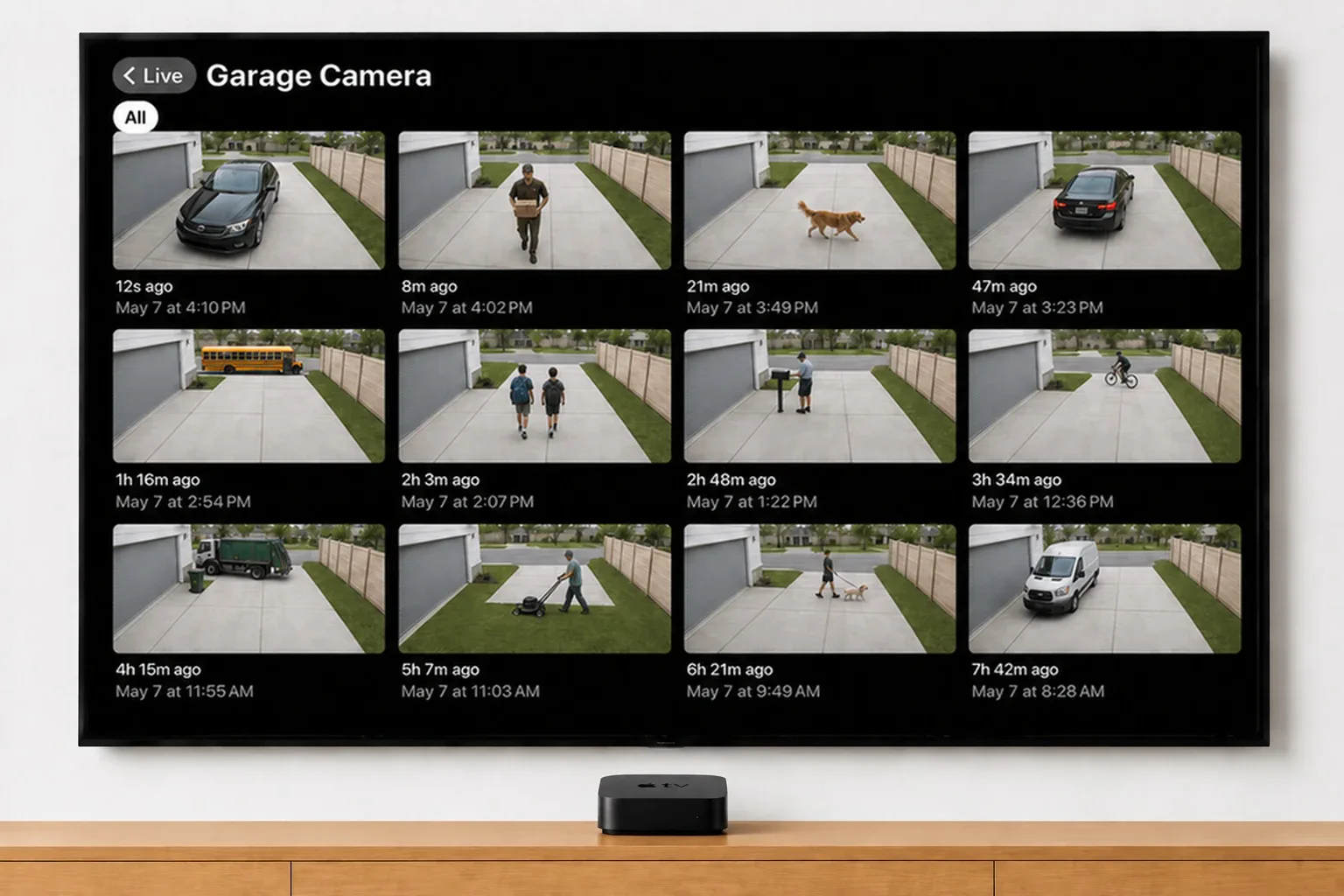
Twelve timestamped Ring motion clips for a Garage Camera on a TV — a delivery, a dog, the school bus and a passing cyclist
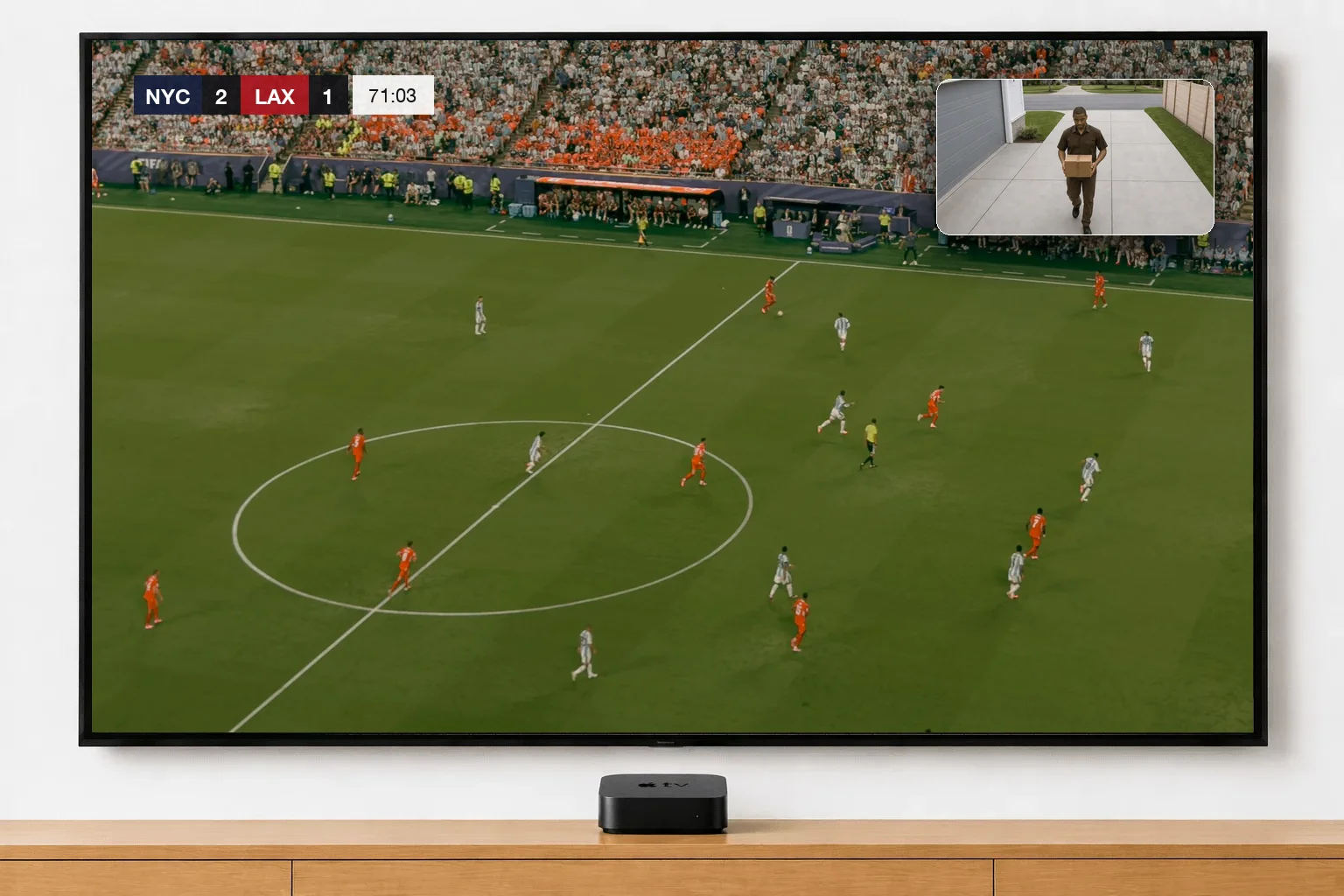
A wall-mounted TV showing a soccer match from the broadcast camera, with the Garage Camera floating in the top-right corner as a delivery driver walks up the driveway
Picture in Picture

Any camera, picture in picture.

Float one camera in the corner and keep it there over any app, show or video, so you can watch TV and your cameras at the same time. On Apple TV, Mac and Windows.

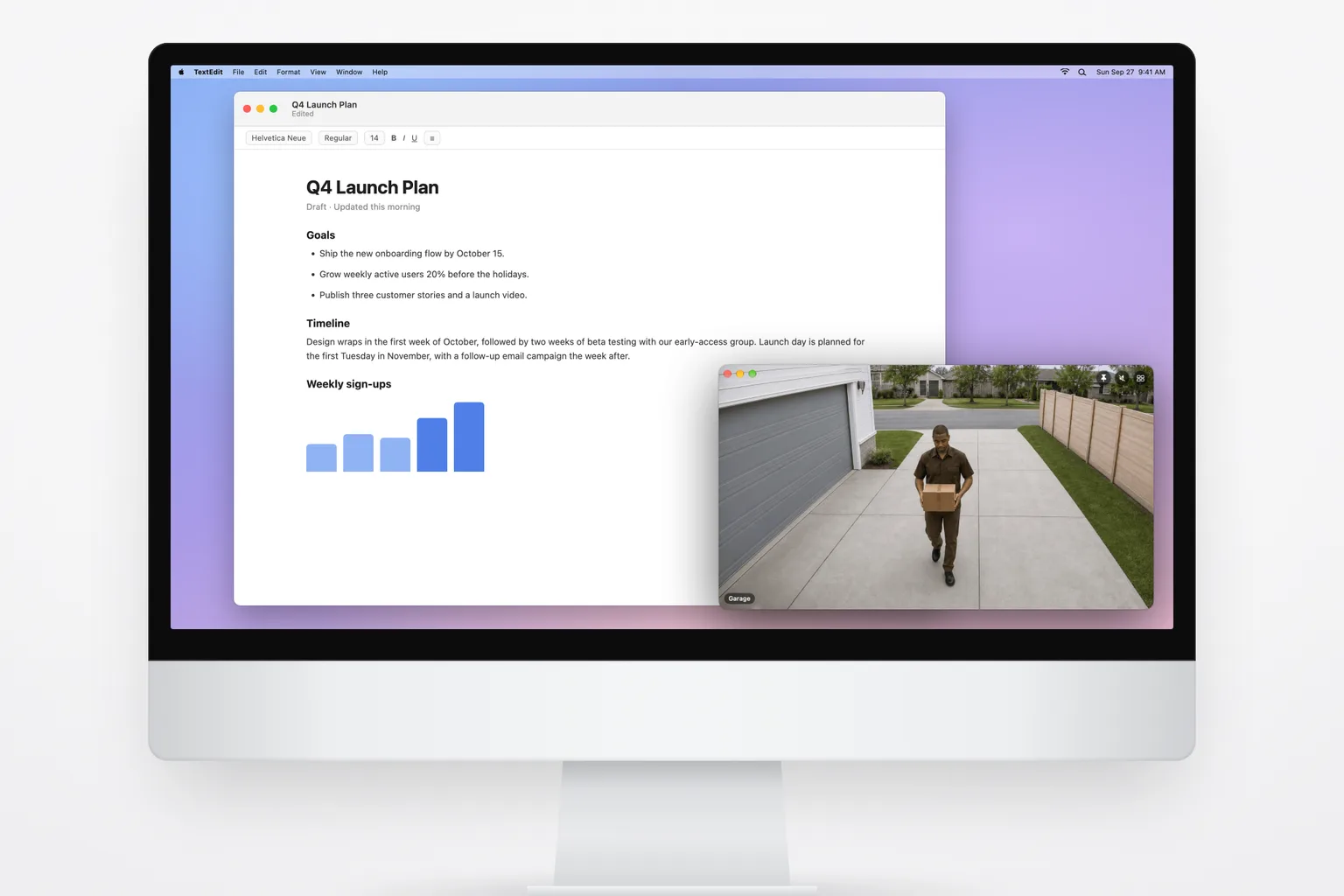
Video Wall for desktop

Your cameras, on your computer.

The same live wall, on your computer. Float a camera over the app you’re working in, get a notification when someone’s at the door, and turn a spare monitor into a video wall. For Mac and Windows.

An iMac with a document open and the Ring Garage camera floating over it in its own window, showing a delivery driver walking up the driveway
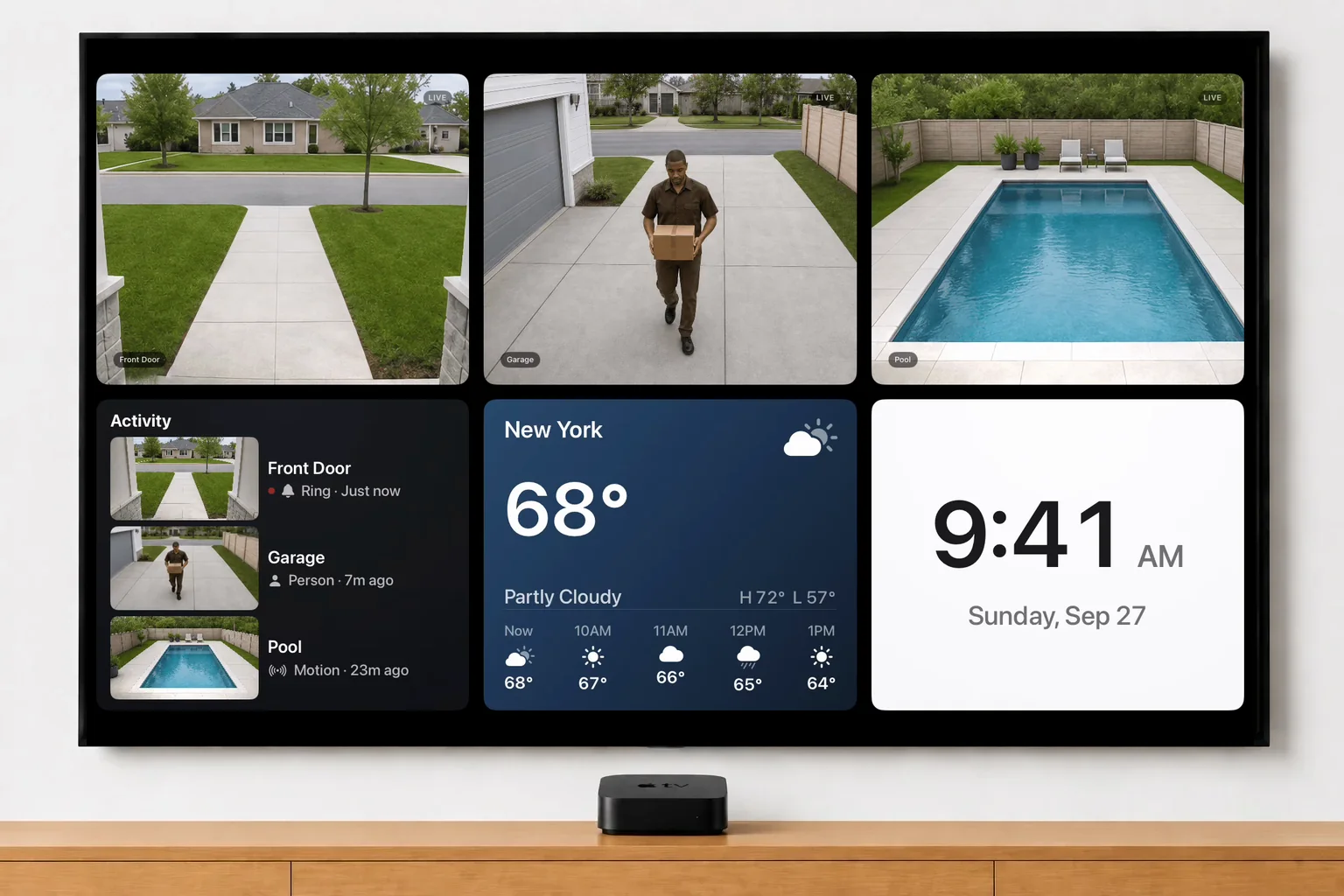
A wall-mounted TV showing three Ring cameras above an Activity feed of recent events, the New York weather and a clock
Widgets

Cameras. Clock. Weather. Activity.

Put a clock, your local weather and a feed of recent motion and doorbell events on the wall, right beside your cameras. On Apple TV, Mac, Windows and in your web browser; Fire TV, Google TV and Roku are next.

Built around your privacy.

Ring already protects your cameras. Video Wall keeps every feed secure and stays out of the way.

Available in the Ring Appstore.

Compatible with every Ring camera and doorbell. Add it in the Ring app, the same way you add any Ring Appstore app.

We never see your video.

Straight from Ring to your TV — never through our servers, never stored.

No ads, no tracking.

We don't run analytics on what you watch or sell data to anyone.

Add Video Wall to your TV — or any screen.

Every Ring camera on Apple TV, Fire TV, Google TV, and Roku, your Mac or Windows PC, or any web browser — all of them live at once, with nothing else to buy or set up.

Apple TV
Apple TV HD or Apple TV 4K running tvOS 17 or later.
Fire TV
Any Fire TV — Stick, Cube, or a Fire TV smart TV.
Google TV
Any Google TV or Android TV device running Android 7.1 or later.
Roku
Roku players and Roku TVs.
Mac
Any Mac running macOS 14 Sonoma or later.
Windows
Any PC running Windows 10 (version 2004) or later, including Windows 11.
Web Browser
Any computer, tablet, or smart TV with a current web browser.

Plus a Ring Protect plan and the Video Wall app from the Ring Appstore. One-time pairing with a phone or computer. Samsung, LG or another brand? Your Ring doorbell on any TV.

Start your free trial

Free for 30 days, then $1.99/month per camera. Cancel anytime.

Product news and tips

New features and the occasional tip, about once a month. Unsubscribe anytime.

Video Wall Live

Every Ring camera, live on your TV.

Want your cameras on your wrist too? Video Watch Live puts every Ring camera on your iPhone and Apple Watch.Visit Video Watch Live →
© 2026 Video Wall LiveTermsPrivacy

We use Google Analytics to see which pages people read and where setup goes wrong. It’s the only thing here that sets a cookie — no advertising trackers, and nothing sold to anyone.

Turn it off and we don’t load it at all — the script simply never runs.

Analytics cookies
On

Saved in this browser, on this device. Changing it reloads the page. Privacy policy

Video Wall for Ring is a third-party app and is not affiliated with, endorsed by, or sponsored by Ring or Amazon. Ring is a trademark of Ring LLC. As an Amazon Associate we earn from qualifying purchases. Some links to streaming devices are affiliate links; they never change what you pay.
Ring Cameras on Apple TV, Fire TV, Google TV & Roku — Video Wall