

Widgets: clock, weather and activity on your wall
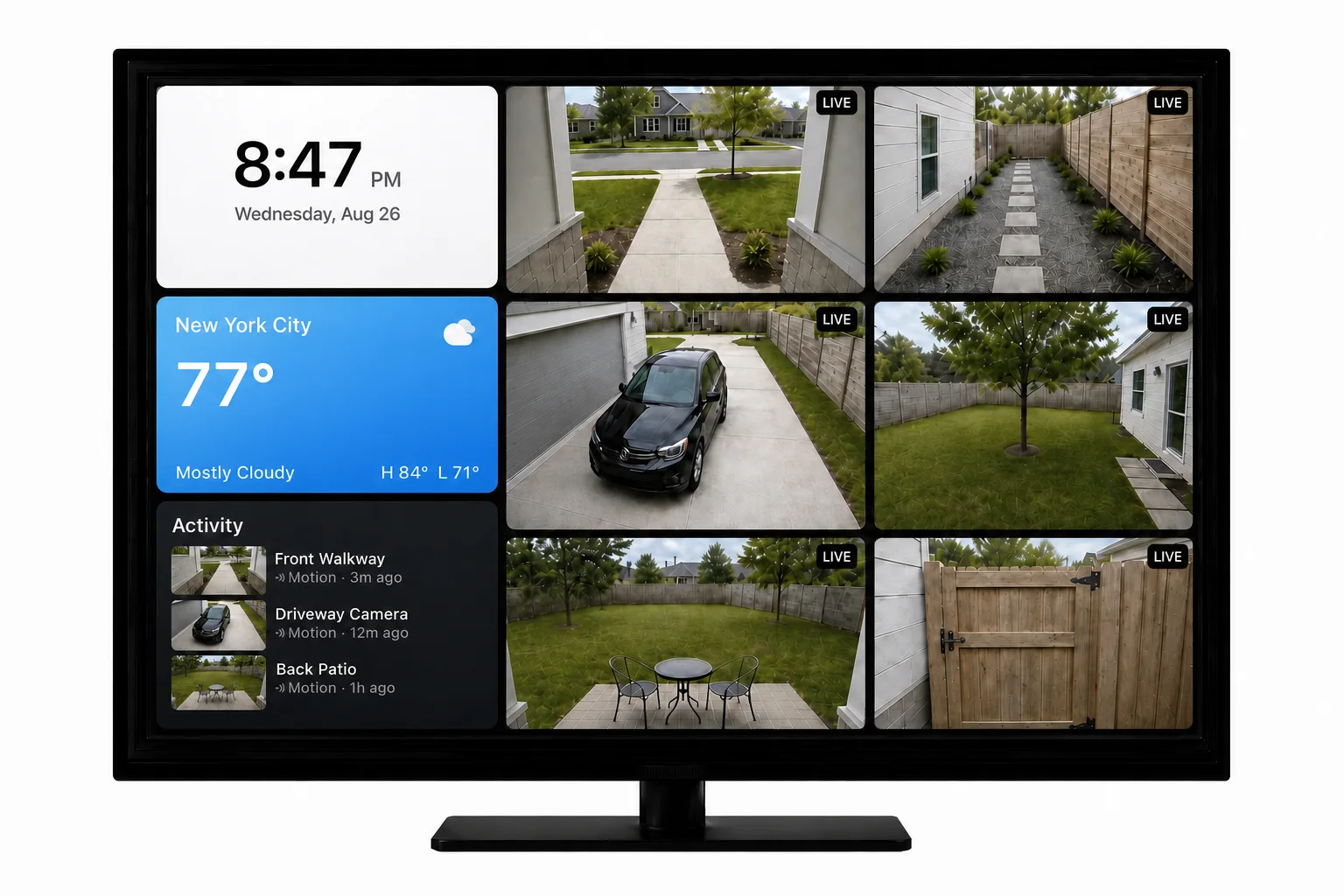
Your wall can hold more than cameras now: a clock, the weather, and a running list of recent activity, sitting in the grid beside your camera feeds. They launched in the browser version, which is what this post walks through, and they’re on Apple TV now too.
What shipped
Three widgets, all available now.
- Clock. Dark or light face. Your locale decides whether it reads 12 or 24 hour.
- Weather. Enter a ZIP code, pick °F or °C.
- Activity. The last three events from the cameras on your wall, each with a thumbnail, the camera name, and how long ago it happened. One per wall.
They behave like cameras
A widget is a tile like any other. Drag it where you want it, hide it when you don’t, and it rides along in your saved walls. Click one and it opens fullscreen the way a camera does, where Activity has room for a fourth row.
They do sit out Auto-Cycle, so a tour of your cameras won’t stop to show you the time.
Empty spaces in your wall can be filled with a clock, the weather, or your recent activity.
How to add one
Open the wall in your browser, then Settings, then Widgets, and pick Add Clock, Add Activity or Add Weather. Five per wall is the limit. Everyone on a free trial or a plan has it today, at no extra cost.
Now on Apple TV
Version 2.4.0 brings the same three widgets to Apple TV. Open Settings → Widgets, pick one and turn it on; Weather takes a ZIP code on the on-screen keypad. On the TV a widget sits in Settings → Cameras with your cameras, so you move or hide it the same way, and selecting one opens it full screen. Everything else in 2.4.0.
We built the widget model as a cross-platform contract rather than a web feature, which is why Apple TV could pick up the tiles you set up here. Fire TV, Google TV and Roku are next.
New features, new platforms and tips for your wall, about once a month. Unsubscribe anytime.