

Every Ring camera,
in your browser.
Cameras and doorbells, live on any screen you already own — with nothing to install. Available in the Ring Appstore, or try the demo first.
Free for 30 days, then $1.99/month per camera. Cancel anytime.
Built for the browser.
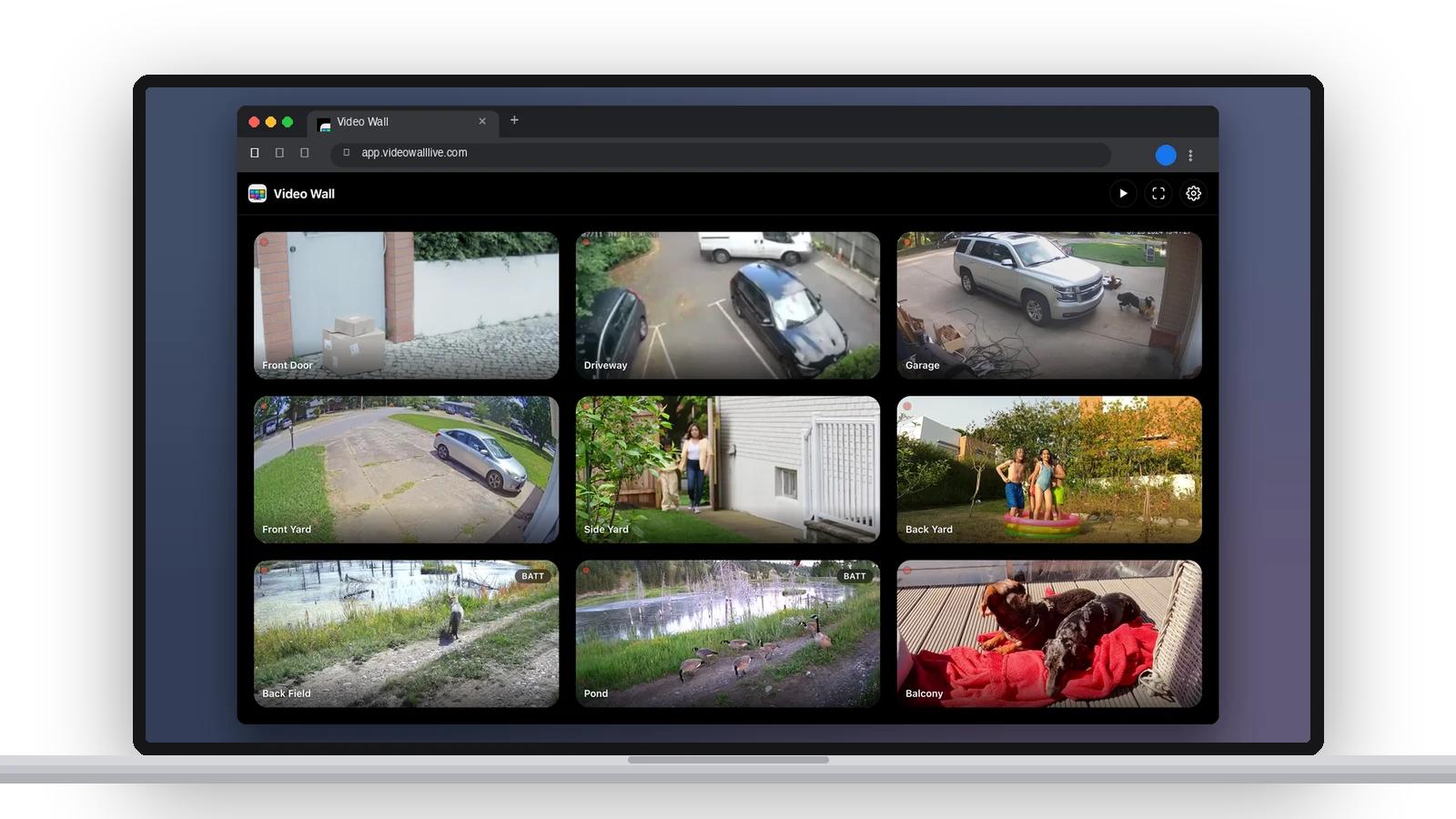
The real app, in a tab. Every Ring camera and doorbell live in one grid on a Mac, PC, Chromebook or tablet, with nothing to install. Drag to arrange, hide the ones you don’t need, and save as many walls as you like. Try it in the demo, no account needed.
Pop out any camera.
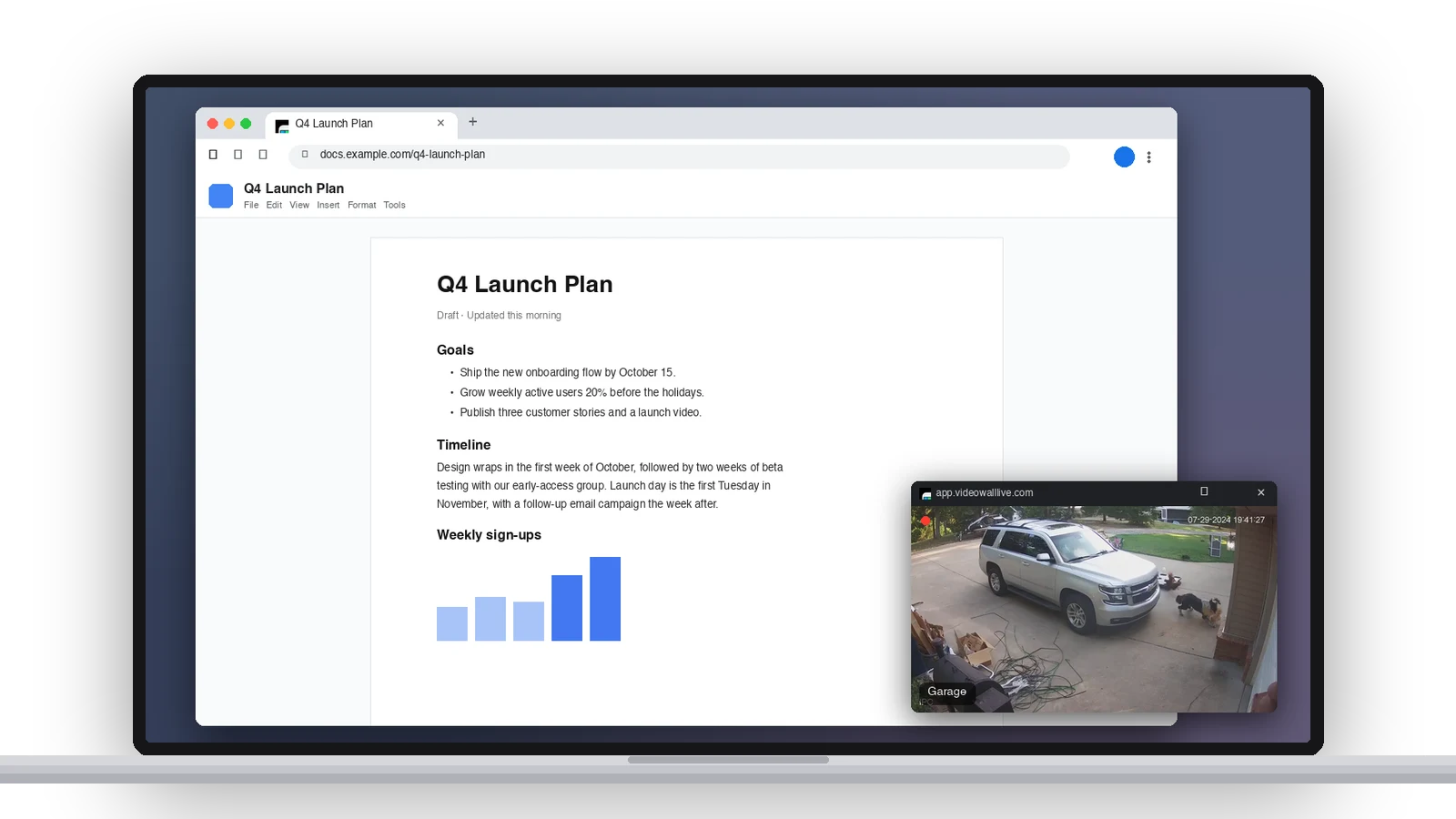
In Chrome and Edge, pop a camera into its own small window that stays on top of whatever you’re working in, even after you switch tabs. Picture in Picture, for the browser.
Scroll back through your history.
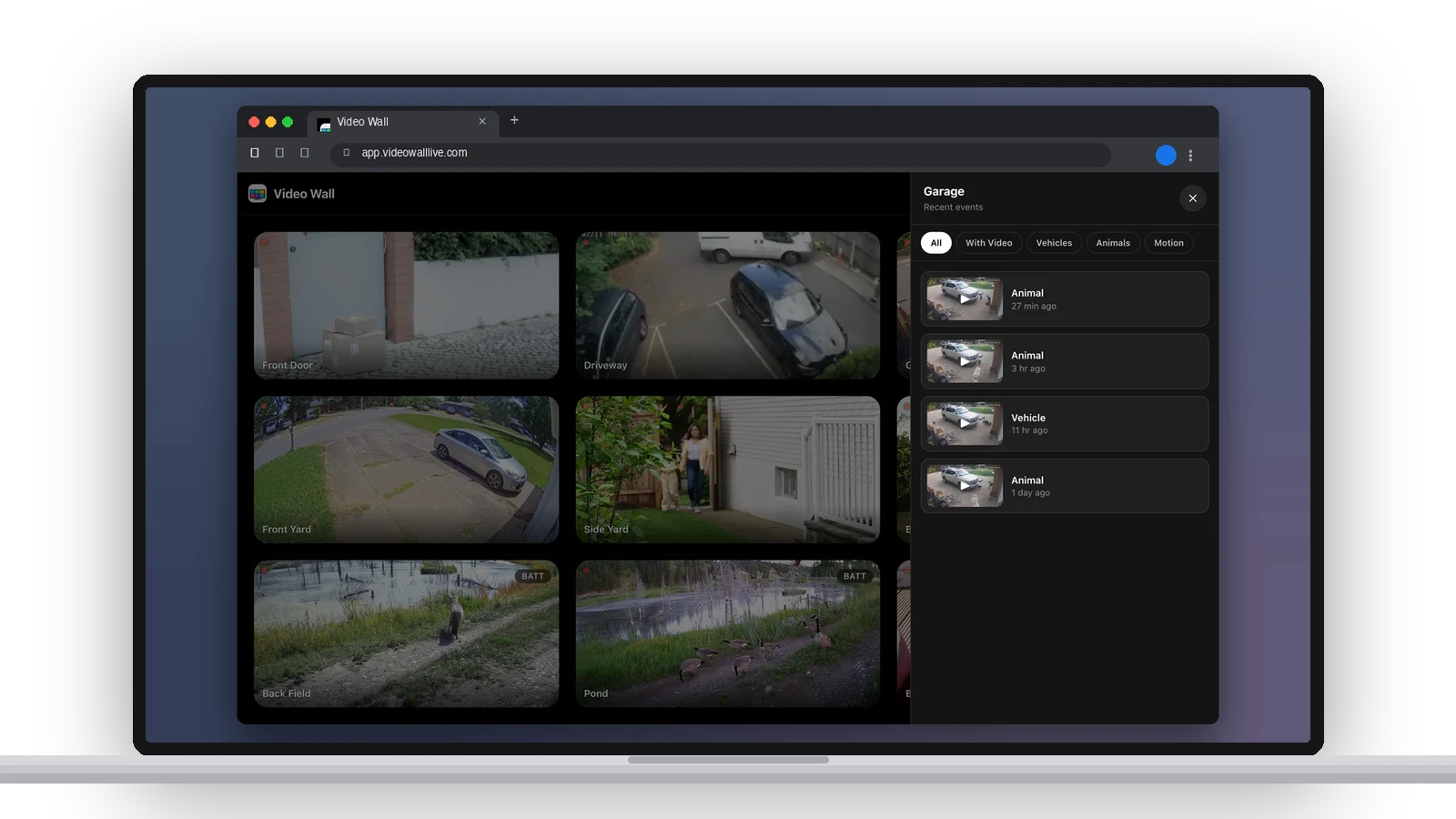
Open a camera and its recent events are one tap away, filtered by People, Vehicles, Packages, Animals and more. Play any clip right there in the tab.
A clock, the weather and activity, on the wall.
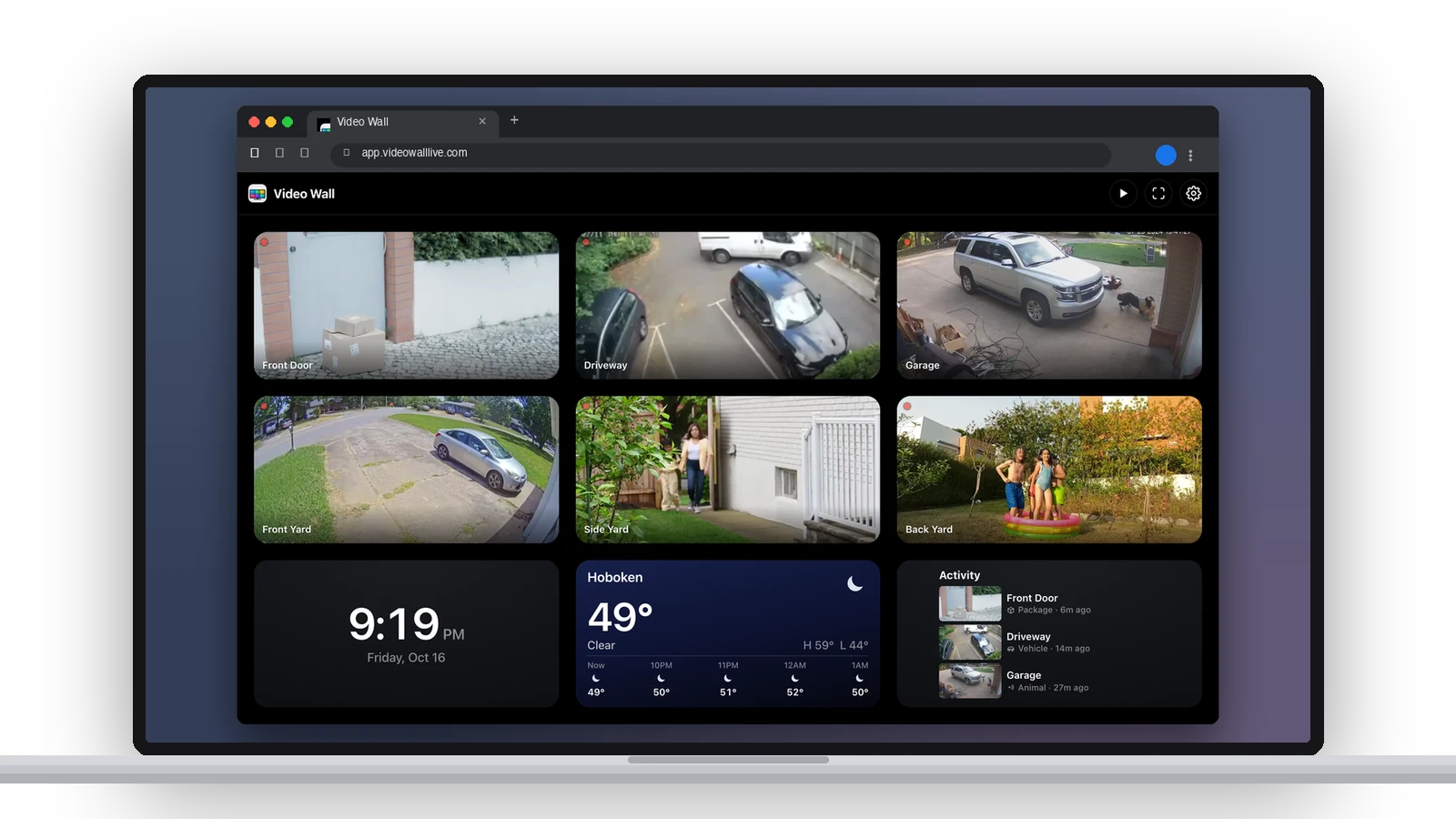
Widgets share the grid with your cameras: a clock, the weather for your ZIP code, and the latest events across every camera. Add them in Settings and drag them wherever they belong.
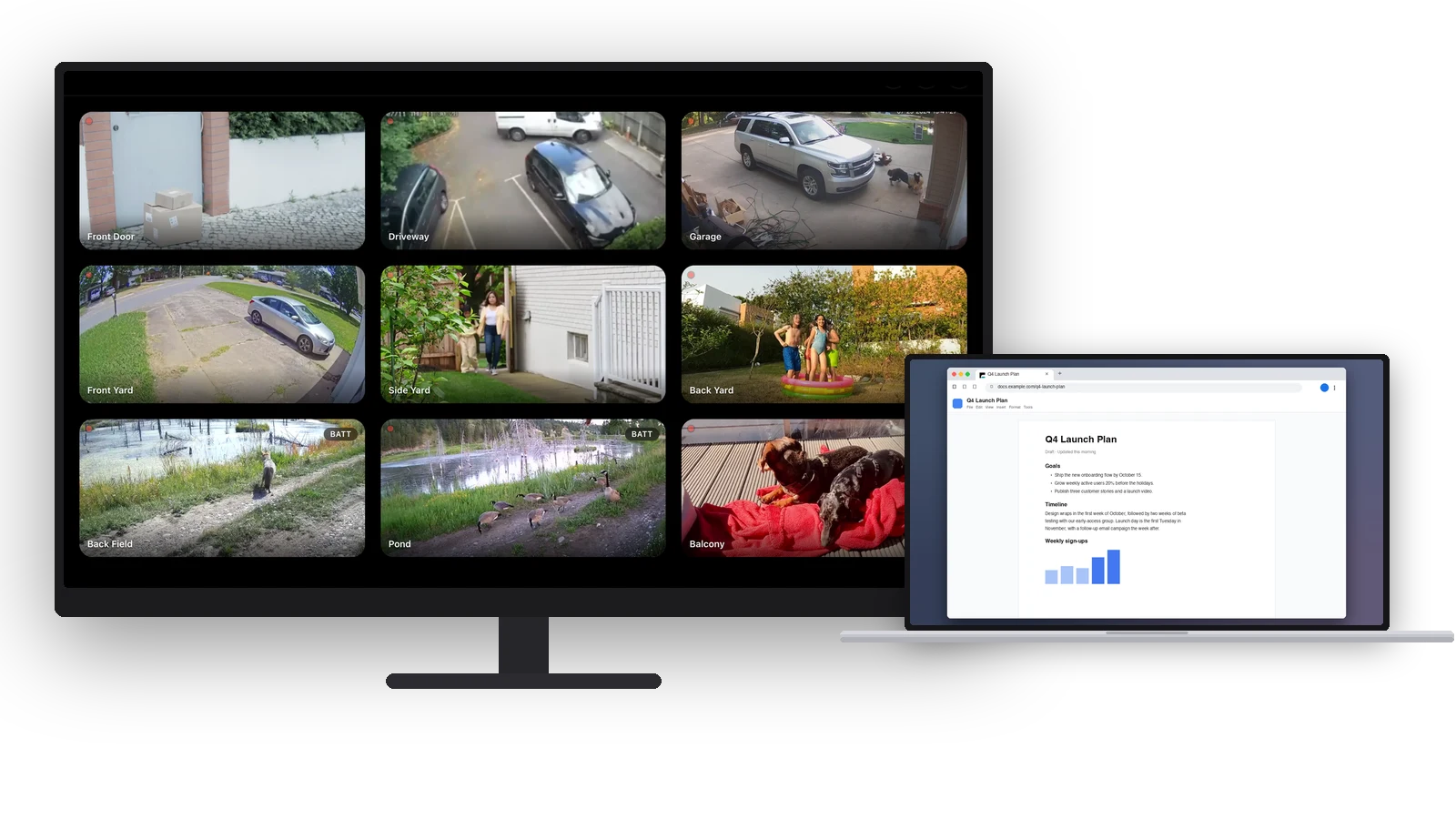
Turn any display into a video wall.
Kiosk View drops the controls and keeps the screen awake, so a spare monitor or an old laptop becomes a dedicated camera wall. Auto‑Cycle shows each camera full screen in turn.
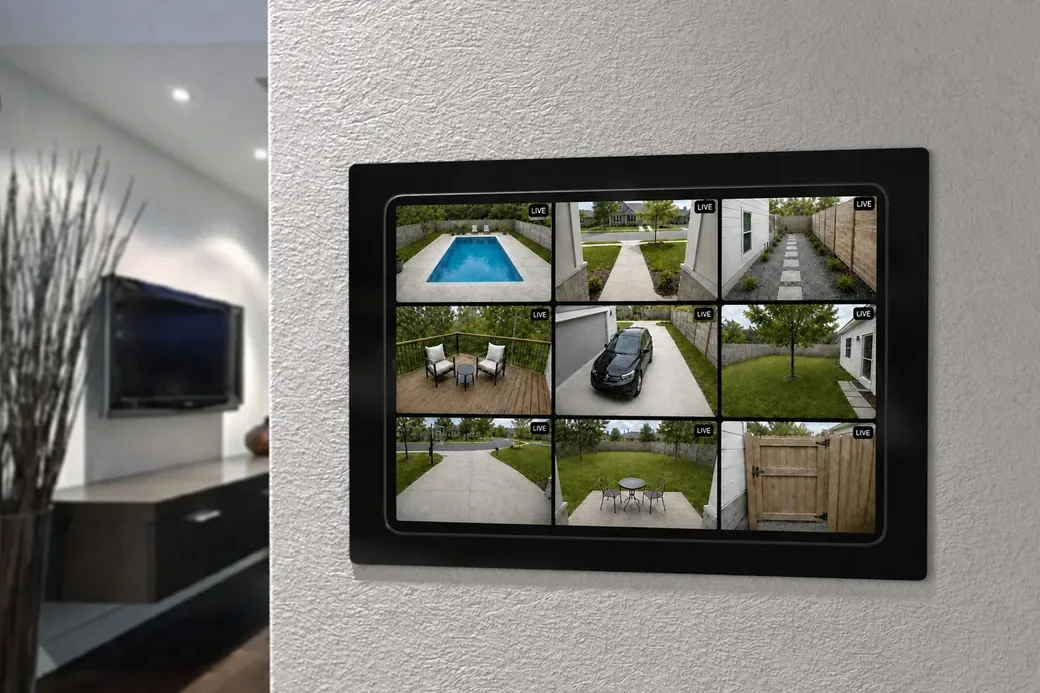
Or hang a tablet on the wall.
An old iPad and a wall mount make a permanent camera panel by the door. Turn on Kiosk View and it loses the controls and stops sleeping — just the wall, all day.
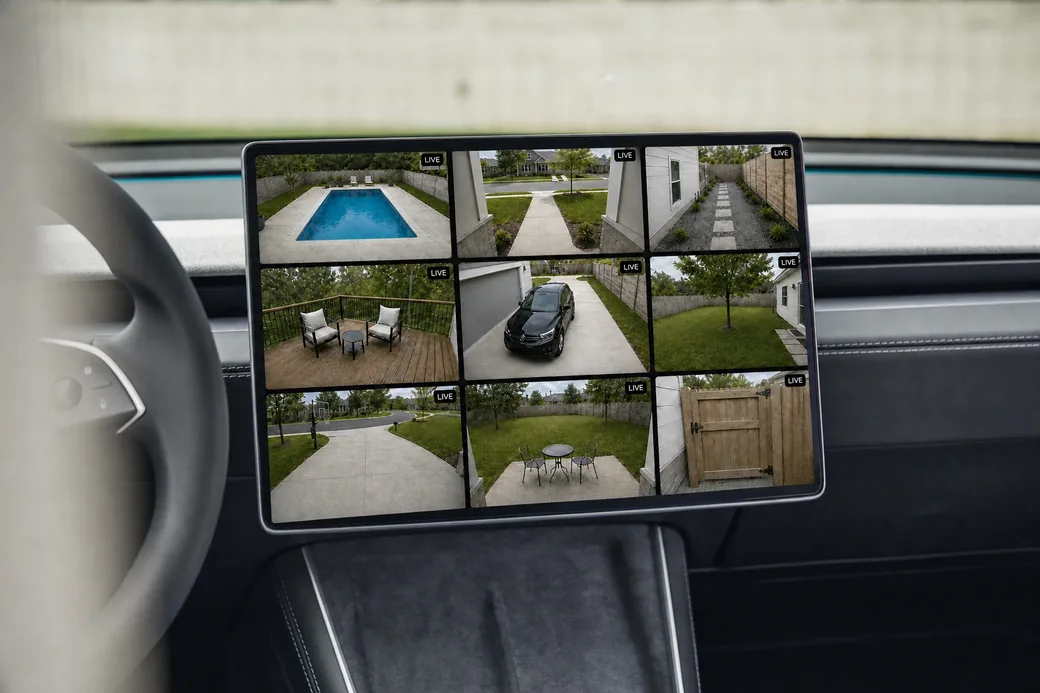
On the road, still home.
A long drive shouldn’t mean wondering. The car has a browser; the browser has your cameras.
Your cameras, in VR.
No monitor, no mount, no app. Just the page, floating where you put it.
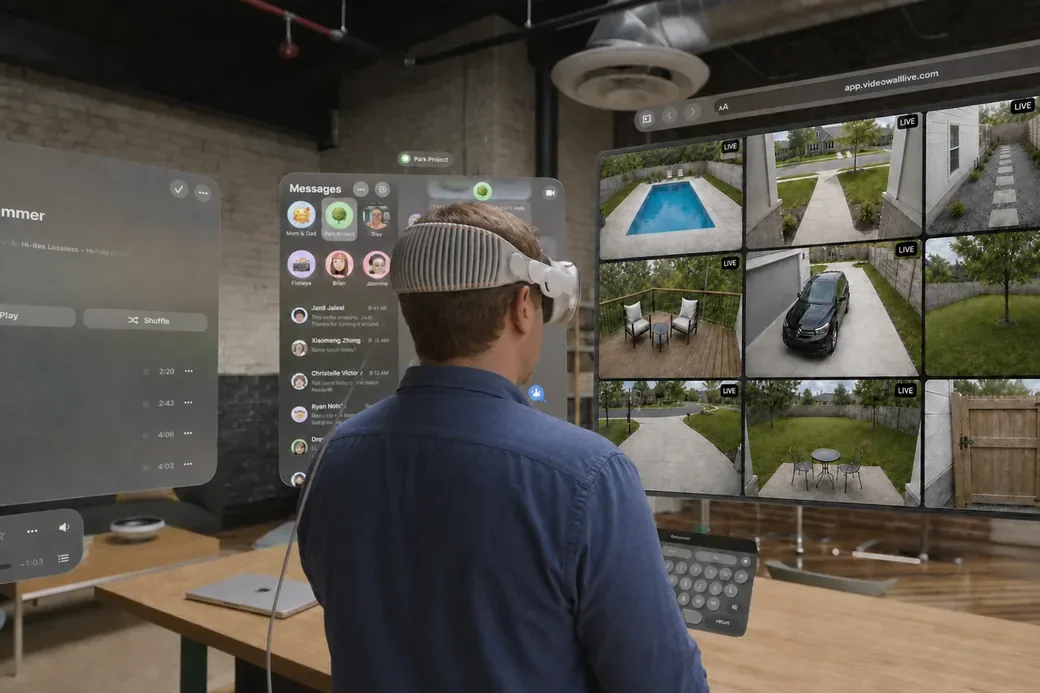
If it has a web browser, it can show your Ring cameras. Computers, tablets, phones, smart TVs, even a car's screen — you name it.
Ring on your phone
The app you already have, on a six-inch screen.
- Built for checking, not watching
- Only one person can watch
- Nothing stays up
Ring in a browser
Signing in to Ring's own site to look at your cameras.
- Four cameras at most
- Signs you out often
- Times out while you're watching
Video Wall Live
Every camera at once, on any screen with a browser.
That’s the whole list.
Side by side.
Worth knowing: it's an addition, not a replacement. One plan covers every screen you own, so the browser doesn’t cost extra and doesn’t replace anything. If you have a streaming device, the TV apps are the better seat — the browser is for the screens that were never going to have an app.
Common questions.
Do I need to install anything?
Which browsers does it work in?
Can I watch my Ring cameras on a computer?
Can I mount a tablet on the wall as a camera display?
Does it work on a Samsung or LG smart TV?
Does it work on a car's screen, like a Tesla?
Is it a separate subscription?
Every camera.
The big screen.
Video Wall integrates with Ring devices and is available in the Ring Appstore.
Free for 30 days, then $1.99/month per camera. Cancel anytime.