

Your Ring cameras,
on your Windows PC.
A Ring app for Windows. Every Ring camera and doorbell live on your PC, with floating camera windows, doorbell pop-ups, Windows notifications and Kiosk Mode. Available in the Ring Appstore.
Free for 30 days, then $1.99/month per camera. Cancel anytime.
Built for Windows.
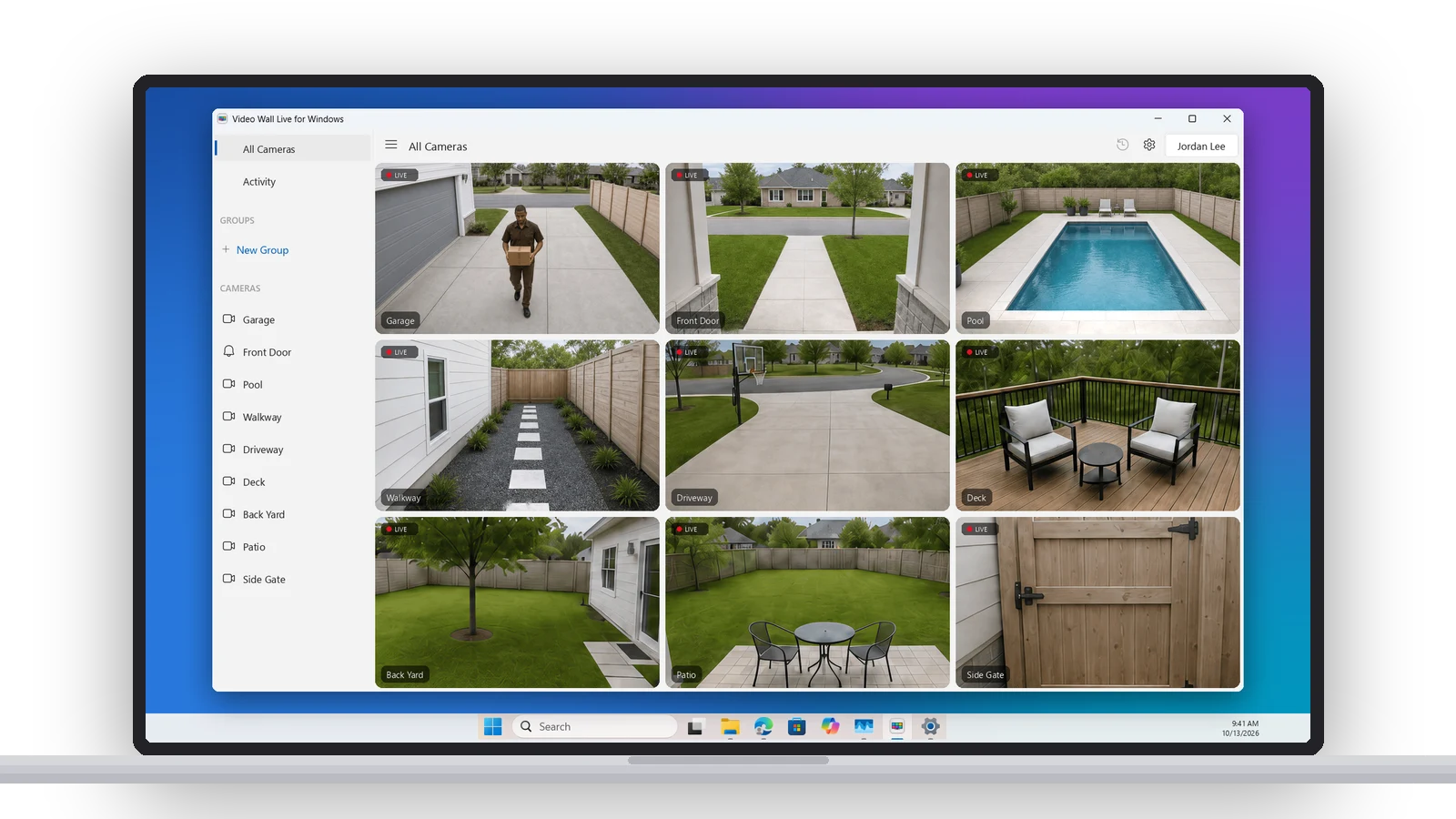
A native Windows app. Every Ring camera live in its own window on your PC, in a grid or featured layout, with groups in the sidebar. Keep it on one monitor or spread it across two. Every feature, button by button.
Picture in Picture for Windows.
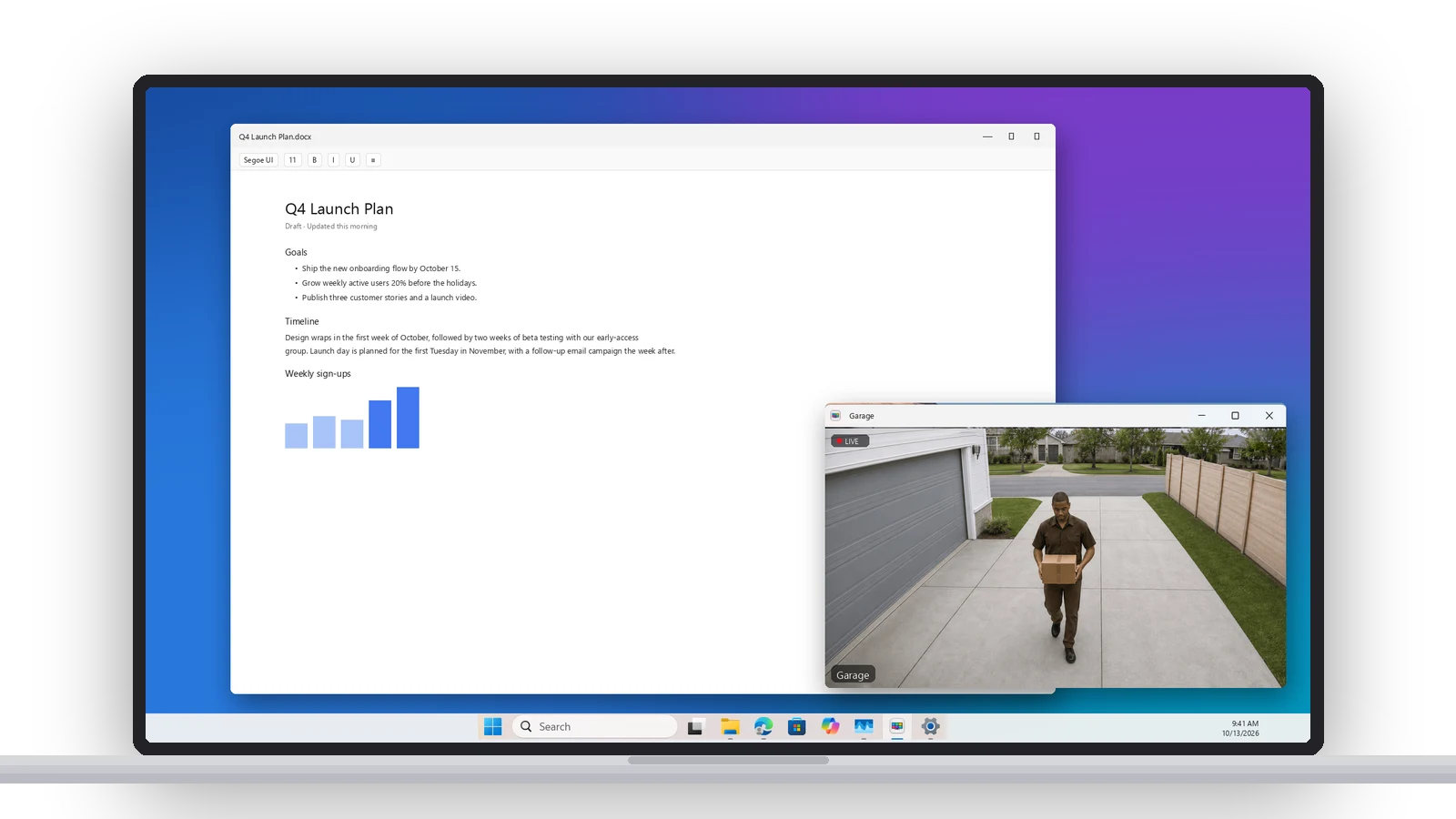
Pop any camera into its own window and pin it above every other app — Picture in Picture for your PC. It stays on top while you work, and a doorbell ring opens that camera on its own, with sound.
Alerts, right on your PC.
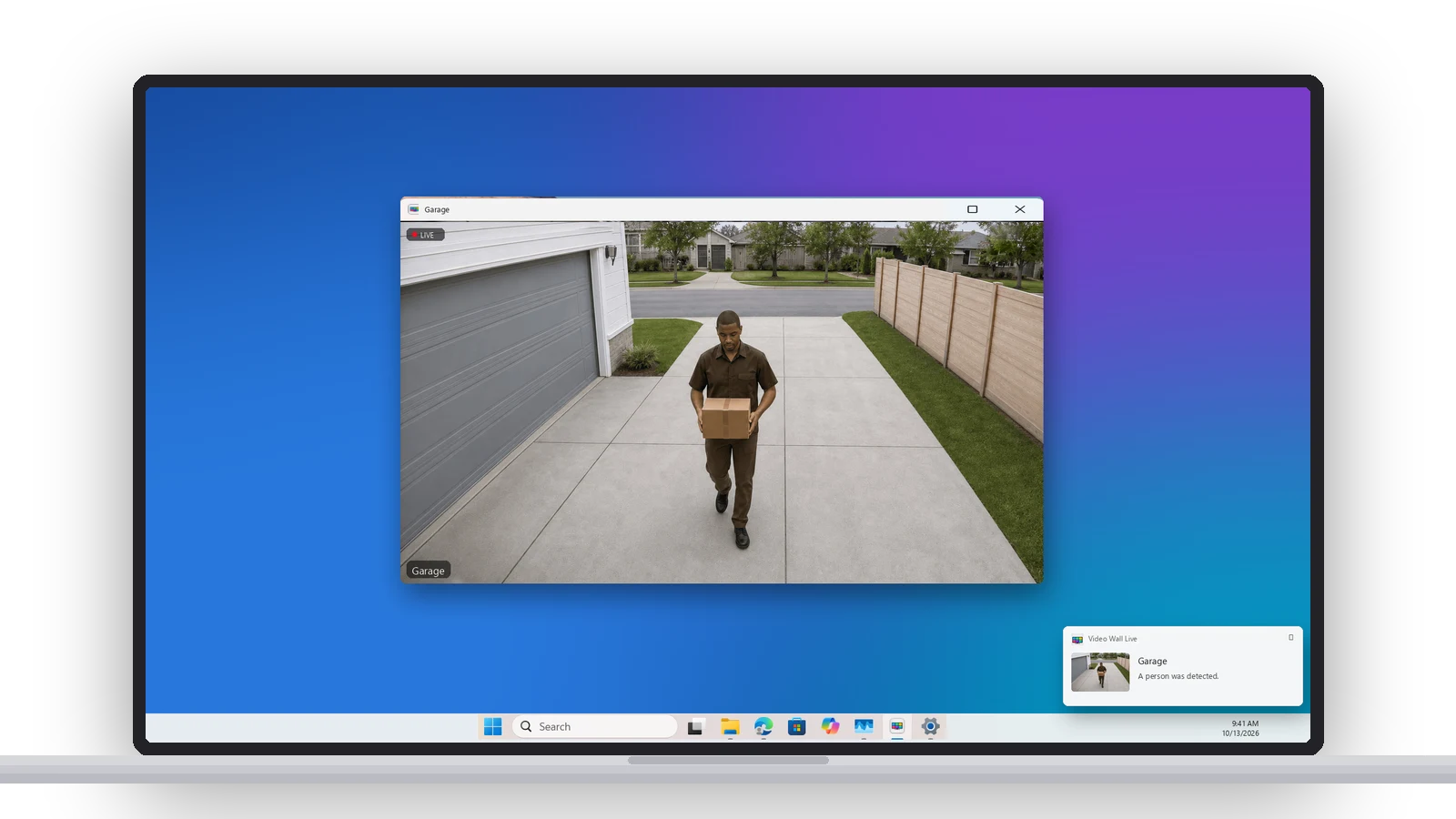
Windows notifications for people, packages, vehicles, animals, motion and doorbell rings. Choose which cameras and which kinds of events get through, and they keep coming after you close the wall.
Scroll back through your history.
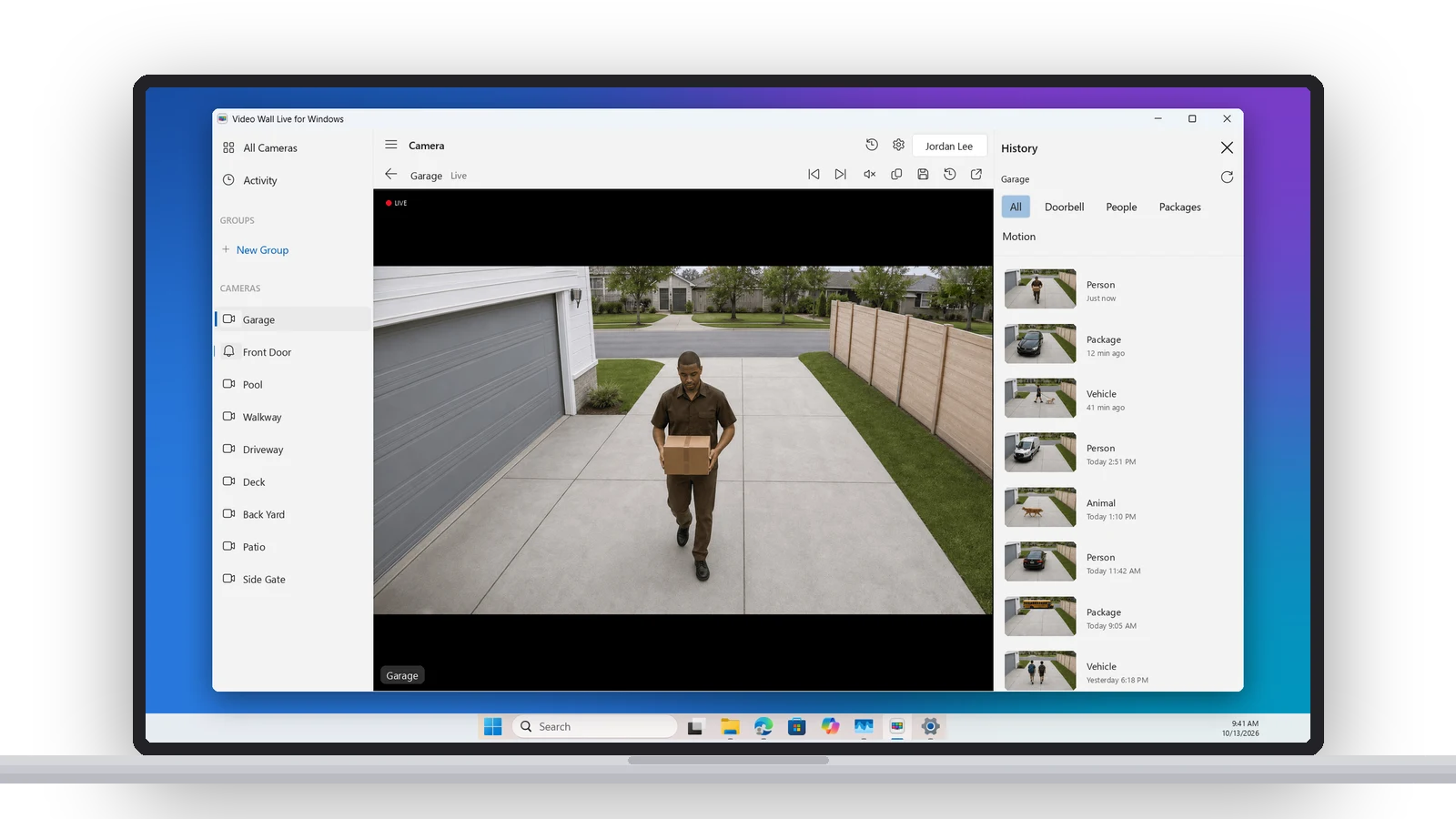
Recent events beside the wall, filtered by People, Vehicles, Packages, Animals and more. Play any clip, save it to your PC, or grab a snapshot from any live camera.
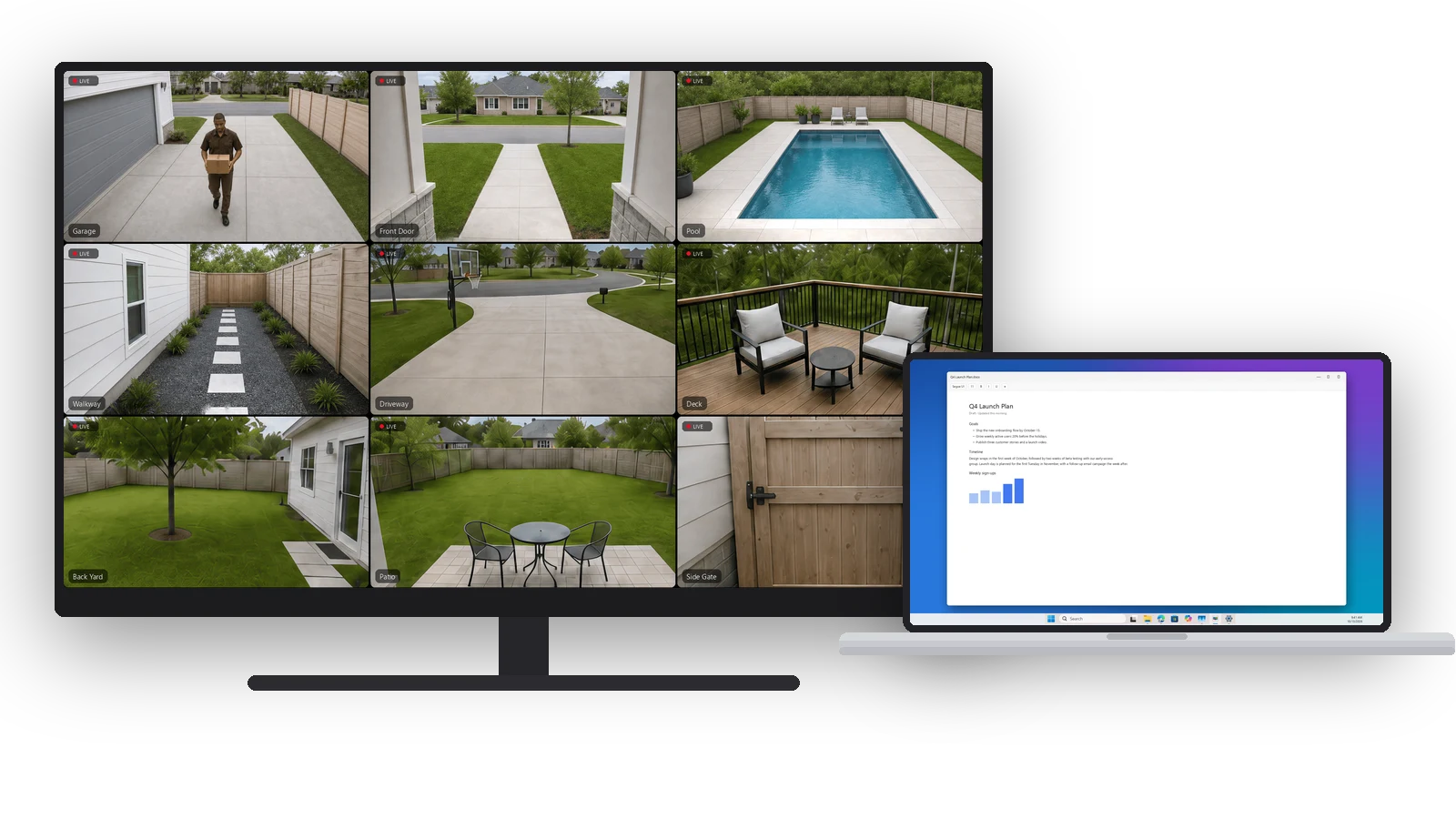
Turn any display into a video wall.
Kiosk Mode fills a monitor or TV edge to edge with every camera and starts itself at login — a spare monitor or an old PC becomes a dedicated security wall. Auto-Cycle shows each camera full screen in turn. How Kiosk Mode works.
There are two ways to watch Ring cameras on a PC. One is a browser tab that keeps timing out. Ours is an app.
Ring in a browser
Signing in to Ring's own site to look at your cameras.
- A few cameras at most
- Signs you out often
- Times out while you're watching
- No desktop app, no alerts
Video Wall Live
An app from the Microsoft Store.
That’s the whole list.
Side by side.
- PC
- Any Windows PC, laptop or desktop, x64 or ARM
- Windows
- Windows 10 (version 2004) or later, including Windows 11
- Ring
- A Ring account with a Ring Protect plan, and Video Wall Live from the Ring Appstore (free for 30 days)
- Cameras
- Any Ring camera or doorbell
- Internet
- Broadband; each live camera is its own stream
One plan, every screen. The Windows app is free, and the Video Wall Live plan on your Ring account covers it along with the Mac app and every TV and browser you use. Already on a TV? Install the app, sign in with your Ring email, and your cameras are there. New to it? Follow the Windows setup guide.
Common questions.
Is there a Ring app for Windows?
Is there a Ring doorbell app for PC?
What happened to Ring's Windows app?
Does it work on Windows 11 and Windows 10?
Can I keep one camera on screen while I work?
How do I sign in on Windows?
Is it a separate subscription?
Can I put it on a second monitor, or a TV?
Every camera.
The big screen.
Video Wall integrates with Ring devices and is available in the Ring Appstore.
Free for 30 days, then $1.99/month per camera. Cancel anytime.