

Video Wall Live is now on the Mac
Your Ring cameras have been on the TV, in the browser and on your wrist. Today they’re on the Mac. Video Wall Live for Mac is in the Mac App Store now, and it’s a real Mac app: a live wall in a window, a camera you can float over whatever you’re working on, every camera in the menu bar, widgets on the desktop, and alerts with a picture.
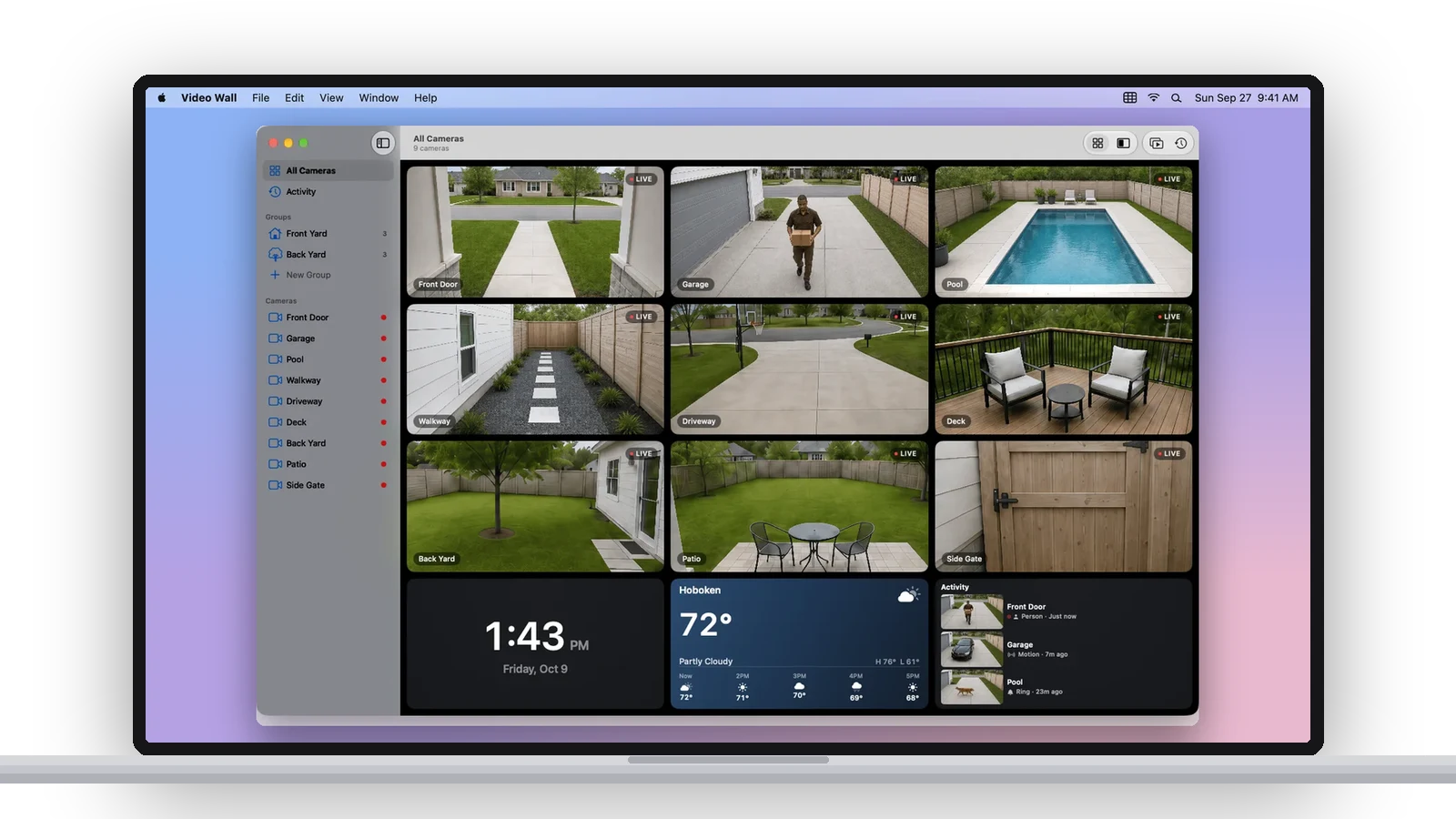
It’s the same wall as the TV apps — every camera live at once, Grid or Featured layout, Auto-Cycle, groups, event history, the clock, weather and Activity widgets — built for a desk instead of a couch. Which turns out to change what it’s for.
A camera over your work
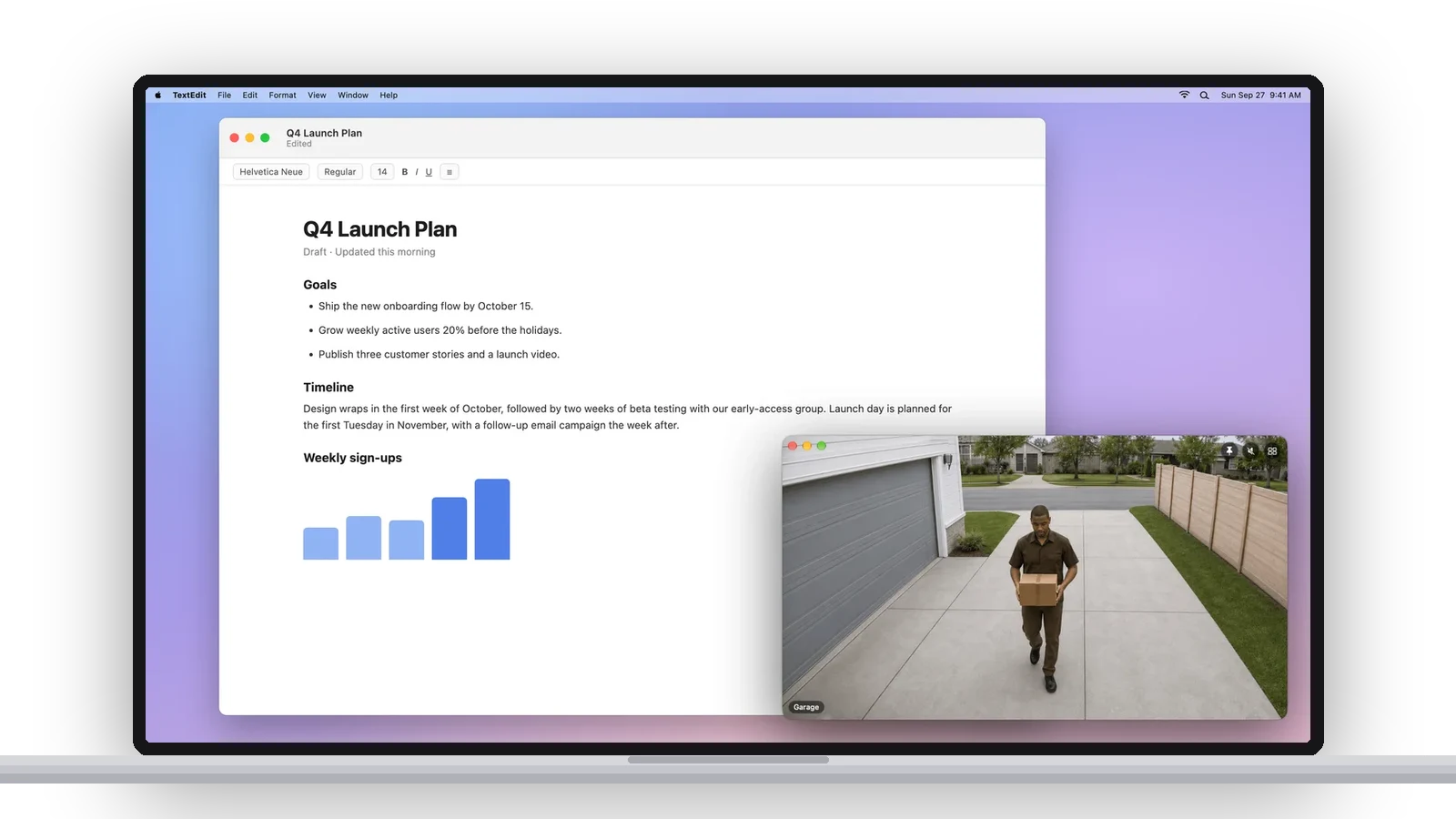
On a TV the wall is the whole screen. On a Mac there’s usually something else on the screen, so the Mac app lets a camera leave the wall. Open any camera in its own window and pin it on top of every app; it sits in the corner while you write, or on a second display, with sound if you want it. Or hand it to macOS with Picture in Picture and it floats over every Space. A doorbell ring can open the doorbell’s camera in a floating window on its own, with sound, so you see who’s there without leaving the document.
The menu bar, the desktop, the Notification Center
- Menu bar. Click the Video Wall icon for a thumbnail of every camera and the last few events. It keeps working after you close the wall, which is also what keeps alerts coming.
- Desktop widgets. A single camera in three sizes, or a nine-camera wall, on the desktop or in Notification Center. Click one and the app opens it live.
- Alerts. People, packages, vehicles, animals, motion and doorbell rings, per camera, as Mac notifications with a picture. Your phone’s Ring alerts are unaffected.
- Activity and History. The account’s recent events in the sidebar, and a History panel for the selected camera. Play any clip, save it to your Mac, share it.
- Wall Display. ⌃⌘D fills a screen with the wall and hides the pointer. Turn on Use this Mac as a wall display and Open at login, and a spare Mac or display becomes a security monitor that starts itself.
- Keyboard and Shortcuts. ⌘1 to ⌘9 open cameras, ⌥⌘P starts Auto-Cycle, ⌥⌘I opens History, and the Shortcuts app and Siri get Show Camera, Start Auto-Cycle and Show Wall.
Getting it
It’s free in the Mac App Store, listed as Video Wall Live Desktop, for any Mac on macOS 14 or later. It uses the Video Wall Live plan on your Ring account, so if you already watch on a TV, install it, sign in with your Ring email and your cameras are there. New? The first 30 days are free, and the Mac setup guide walks through it.
Every button and shortcut is in Using Video Wall on your Mac, and the Mac compare page says how it stacks up against ring.com in a tab or a Homebridge server.
New features, new platforms and tips for your wall, about once a month. Unsubscribe anytime.