

Video Wall Live is now on Windows
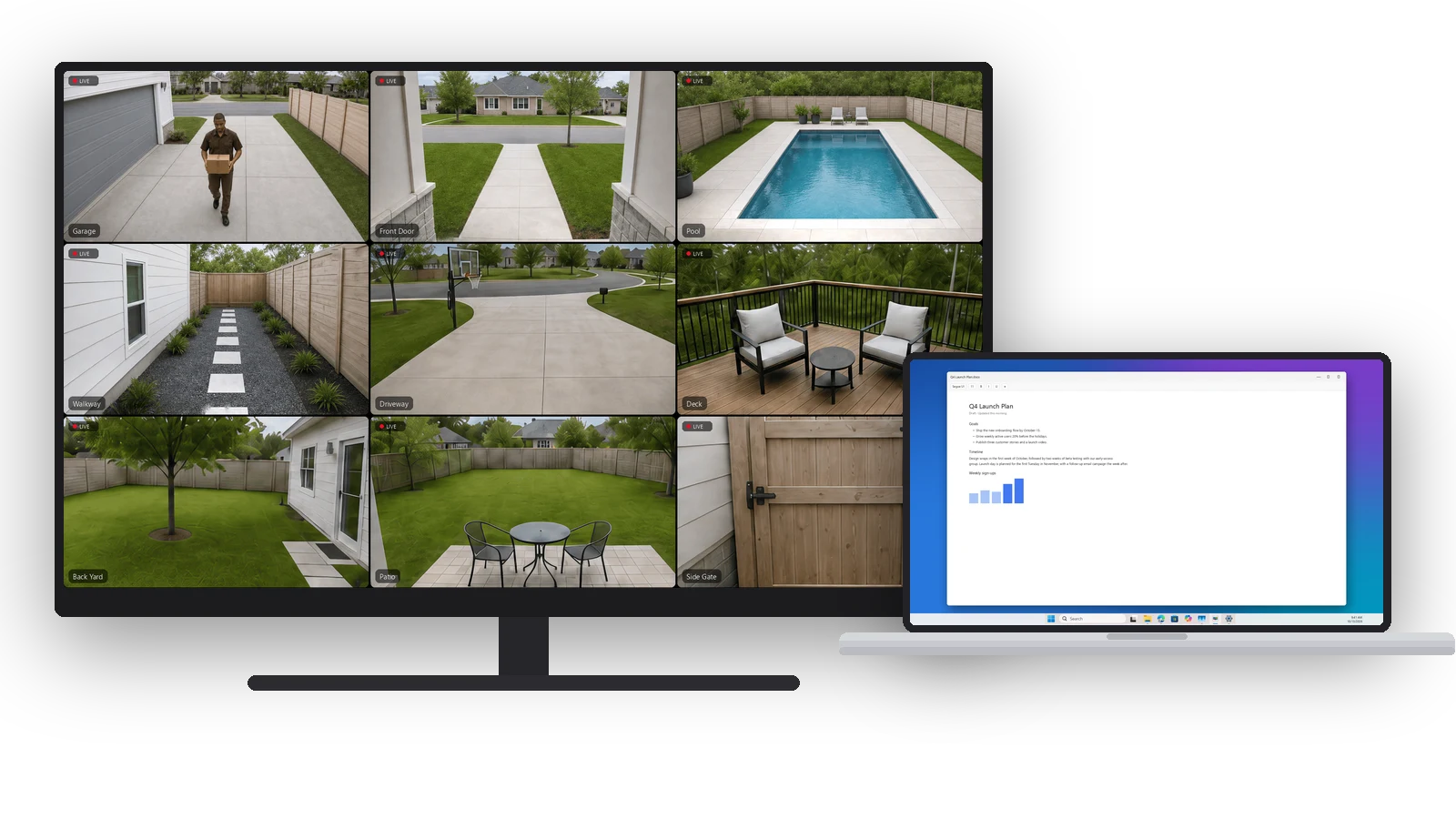
Ring discontinued its desktop app for Windows, which left ring.com in a browser tab. Today there’s a Windows app again. Video Wall Live for Windows is in the Microsoft Store today, and it’s a real Windows app: every Ring camera and doorbell live in one window, a camera you can pin over whatever you’re working on, a doorbell that pops up when someone rings, and Windows notifications.
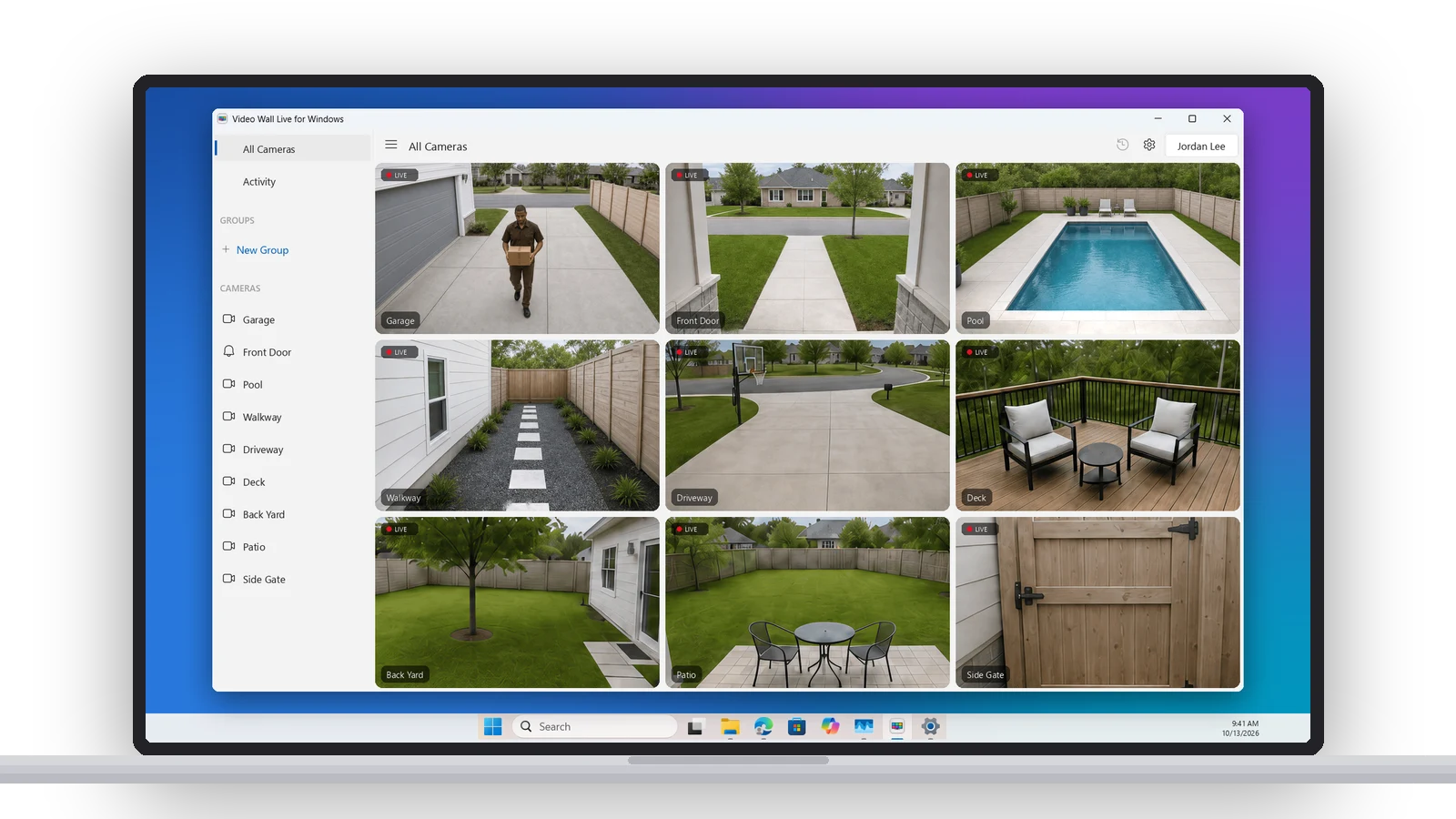
It’s the same wall as the TV and Mac apps — every camera live at once, Grid or Featured layout, Auto-Cycle, groups, event history, the clock, weather and Activity widgets — built for a PC. Keep it open on a second monitor while you work, or give it a spare display of its own.
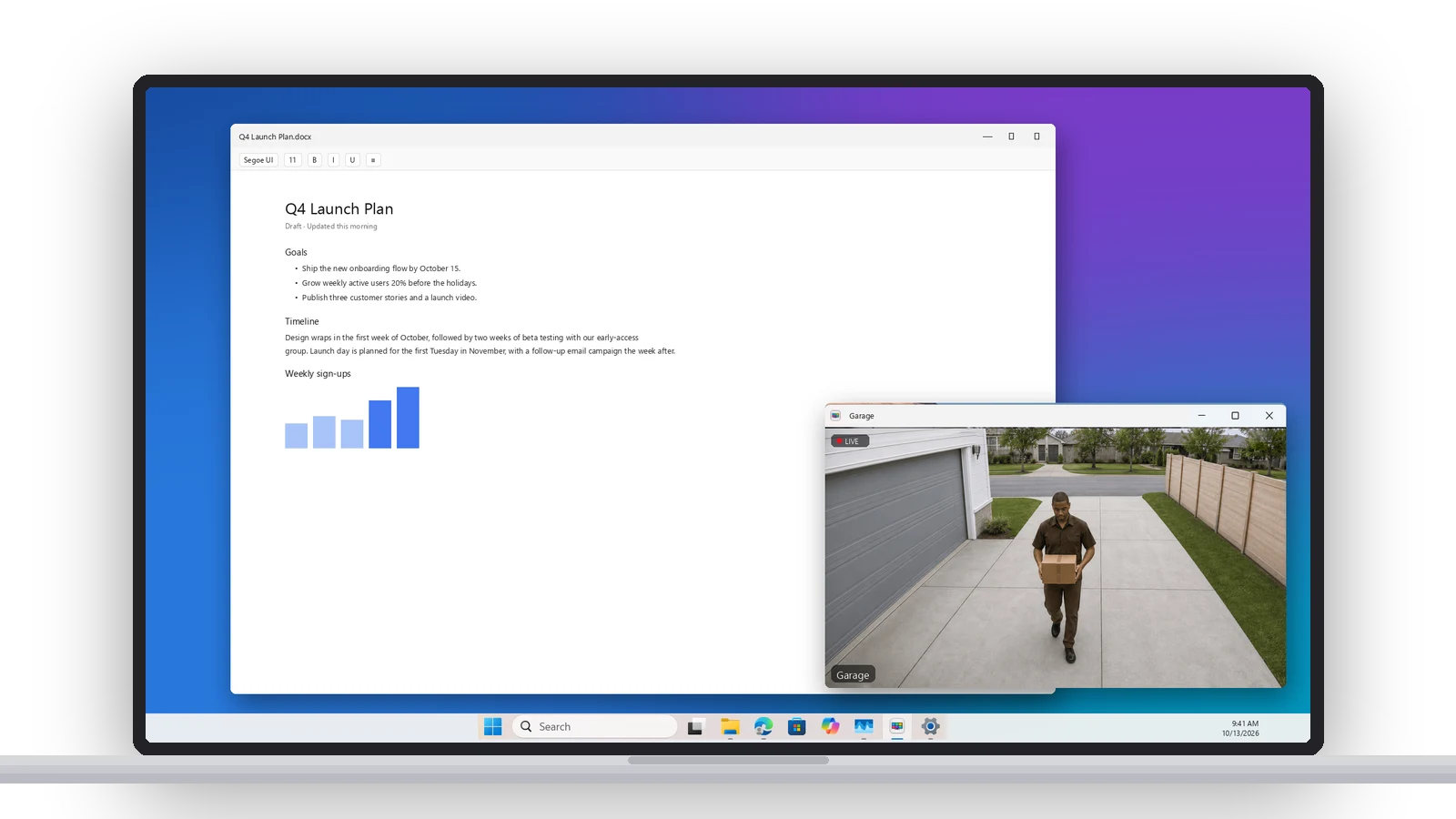
A camera over your work
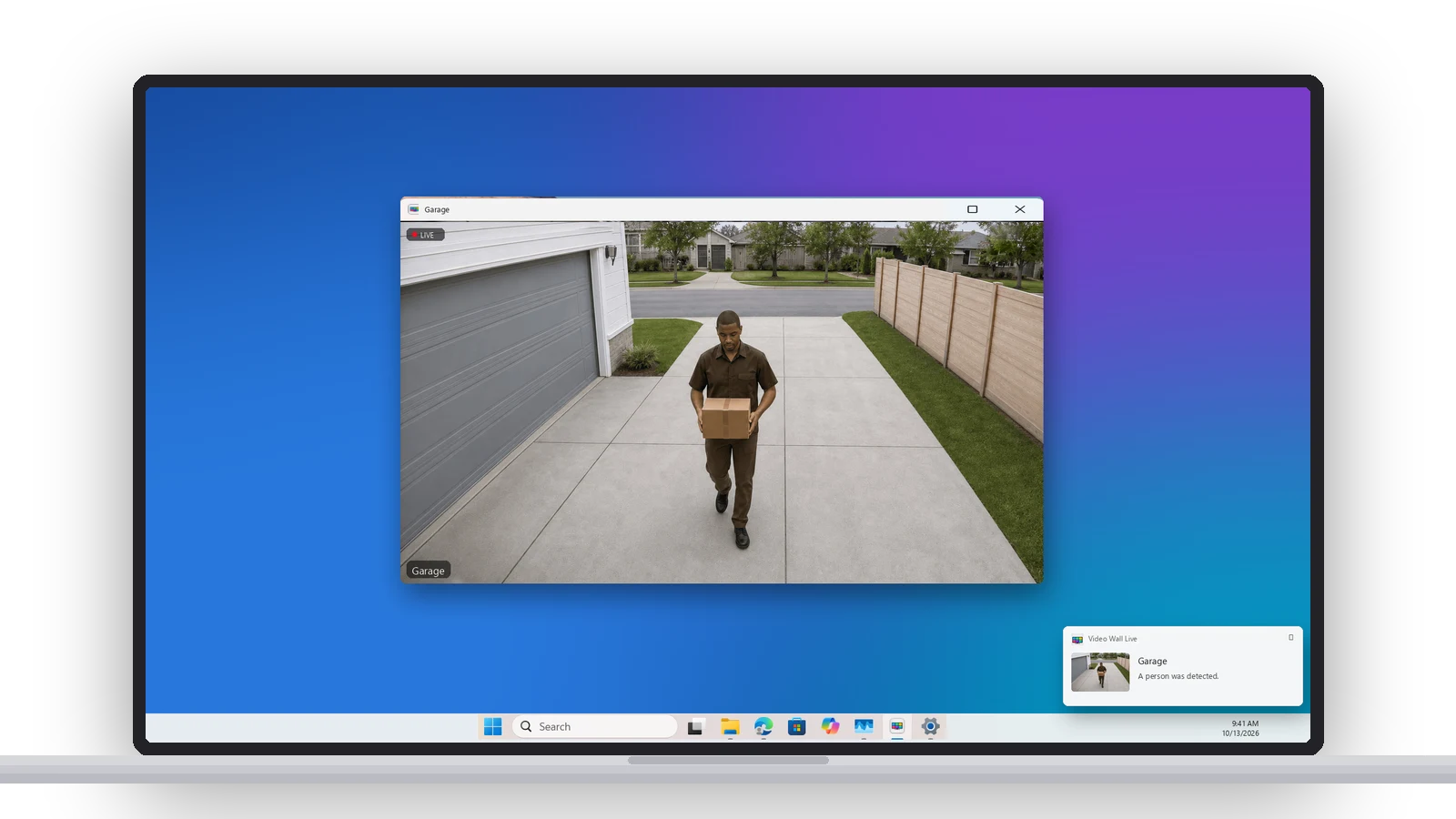
Open any camera in its own window and pin it on top of every other app. It sits in the corner while you write, or on another monitor. When someone rings, the doorbell’s camera opens in a floating window on its own, with sound, so you see who’s there without leaving what you’re doing. A motion pop-up does the same for motion, if you turn it on. Any camera also goes full screen, with zoom and pan.
Notifications, history and the notification area
- Notifications. People, packages, vehicles, animals and doorbell rings, as Windows notifications. Choose which cameras and which kinds. They keep coming after you close the wall, and your phone’s Ring alerts are unaffected.
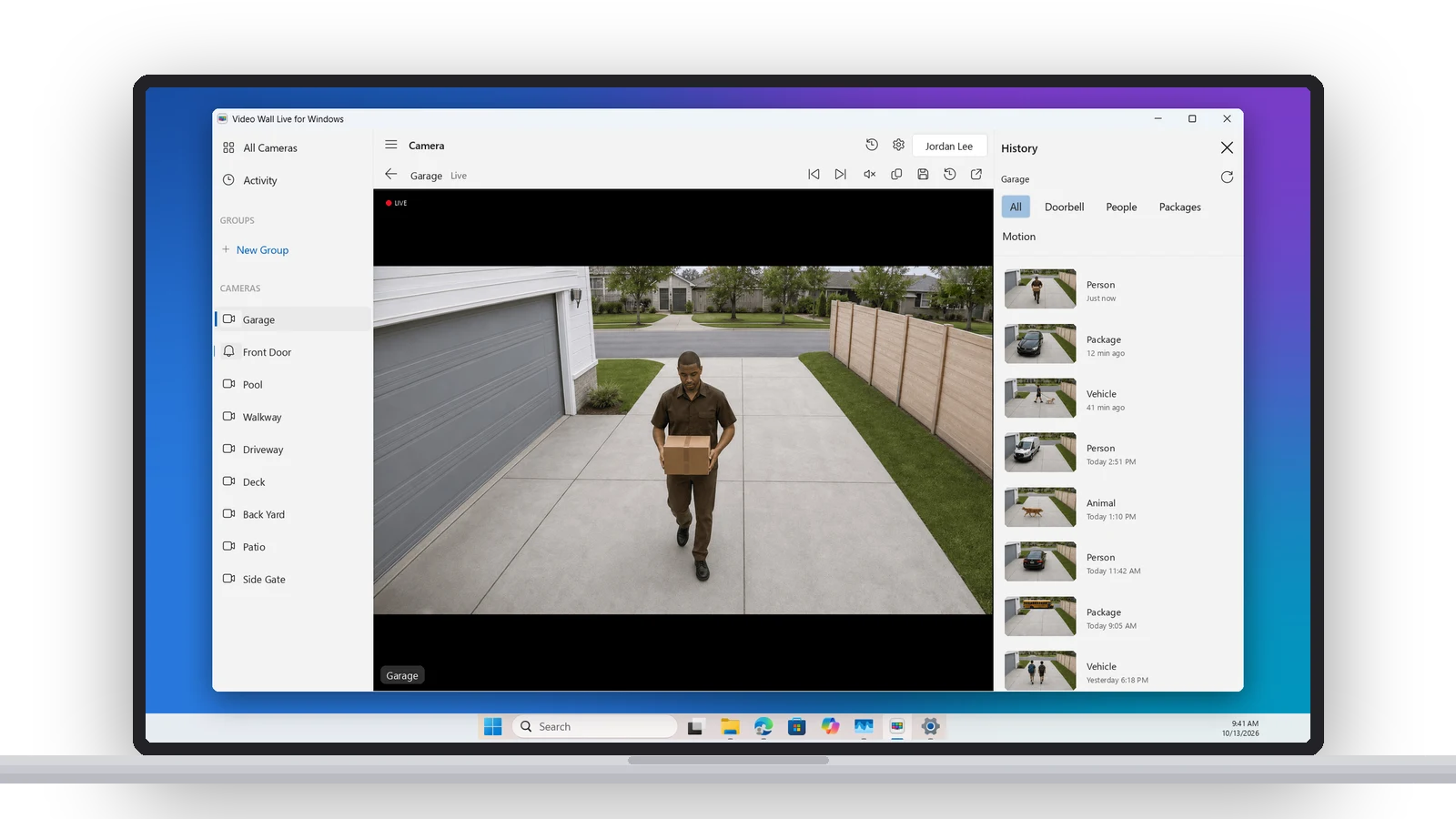
- History. Each camera’s recent events beside the wall, filtered by doorbell, people, packages and motion. Play any clip and save it to your PC, or save a snapshot from any camera.
- Notification area. Video Wall Live opens at login and lives in the system tray. One click there opens the wall, enters Kiosk Mode, mutes, or starts Auto-Cycle.
A dedicated video wall
Kiosk Mode fills a monitor or TV edge to edge, with no window around it. Add Auto-Cycle to show every camera full screen one at a time, put the clock, weather and Activity on the wall, and turn on Open at login. A spare PC and display become a security monitor that starts itself.
Getting it
It’s free in the Microsoft Store, for any PC on Windows 10 version 2004 or later, including Windows 11, on x64 and ARM64. You need a Ring account with a Ring Protect plan and the Video Wall Live subscription from the Ring Appstore. That one plan covers every TV, Mac, PC and browser, so if you already watch on a TV, install it, sign in with your Ring email and your cameras are there. New? The first 30 days are free, and the Windows setup guide walks through it.
Floating windows are covered in Picture in Picture, and the Windows compare page says how it stacks up against ring.com in a browser tab or a Scrypted server.
New features, new platforms and tips for your wall, about once a month. Unsubscribe anytime.