

Ring Elite cameras: every lens, its own tile
Every lens on a Ring Elite now gets its own live tile on your wall.
If you haven’t met the Elite line, it’s Ring’s camera for businesses: several 4K lenses inside a single cone-shaped housing that mounts on a ceiling or under an eave, wired for power or run over Ethernet. It covers the sweep that used to take three or four separate cameras, on one cable and one hole in the ceiling.
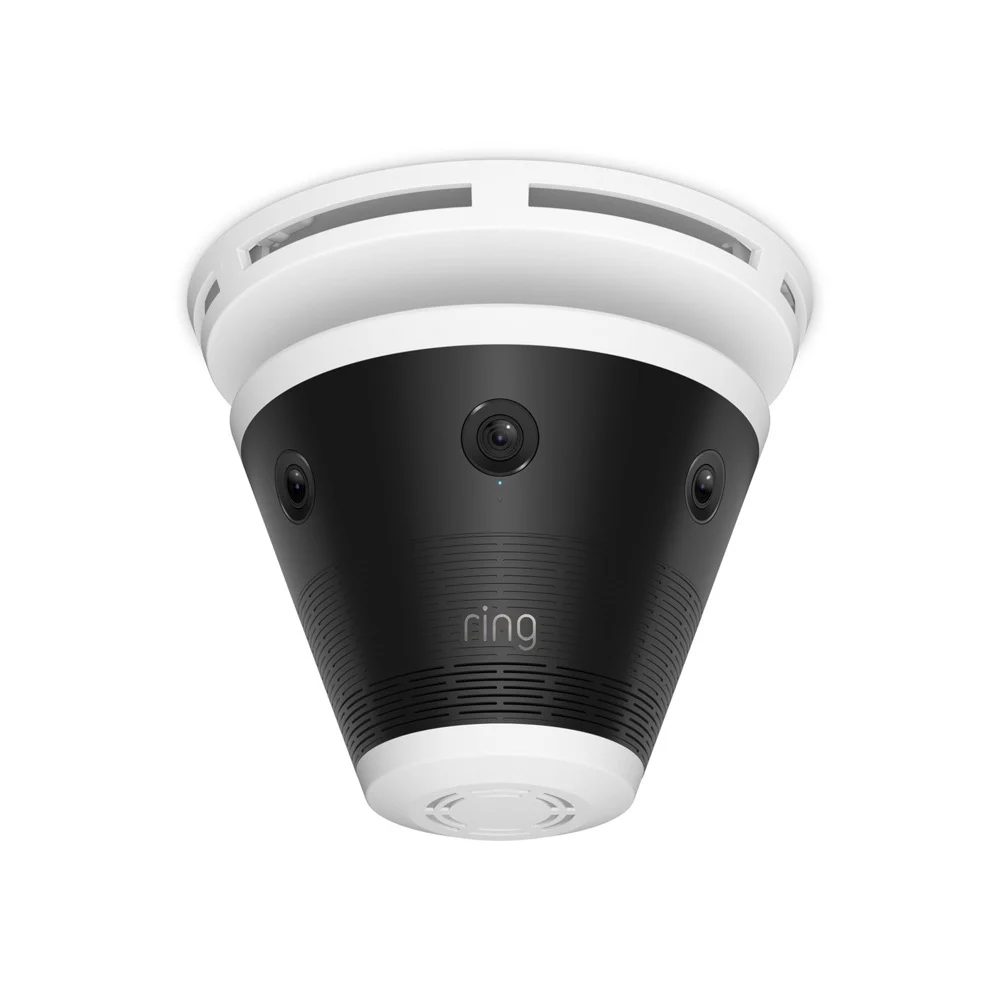
The range, and what separates them
Four models. The difference is how many lenses look out of the housing, which sets how much of the room or the lot one unit covers on its own.
How it works on your wall
Whatever your Elite has, each lens arrives as its own tile, named for the lens: Loading Dock — View 1, View 2, View 3. An Elite 180 takes three places on the wall, an Elite 360 takes six, and the whole sweep is on screen at once instead of a slice of it.
Each tile behaves like any other camera you own, with its own live video, event history and fullscreen view. Motion events land on the tile that saw them, so the clip you open is the angle you wanted.
Getting it
There’s nothing to turn on. The feature runs on our servers, so your Elite views appear the next time the app loads your camera list. Apple TV, Fire TV, Google TV, Roku and the browser all get it without an update.
Worth knowing
Ring stitches the wide panorama you see in its own app, and doesn’t offer it to partner apps. We show the lenses side by side instead of seamed into one picture.
Every tile is a separate video stream, so a six-lens Elite 360 asks as much of a streaming device as six ordinary cameras would. If the wall gets choppy after you add one, start there. The streaming quality guide covers what a given device can hold up.
An Elite counts as one camera on your plan, however many tiles it puts on your wall.
New features, new platforms and tips for your wall, about once a month. Unsubscribe anytime.