

Your Ring cameras,
on your tablet.
A Ring camera app for Android tablets and phones. Every Ring camera and doorbell live on one screen you can touch, set on the counter or mount on the wall. Available in the Ring Appstore.
Free for 30 days, then $1.99/month per camera. Cancel anytime.
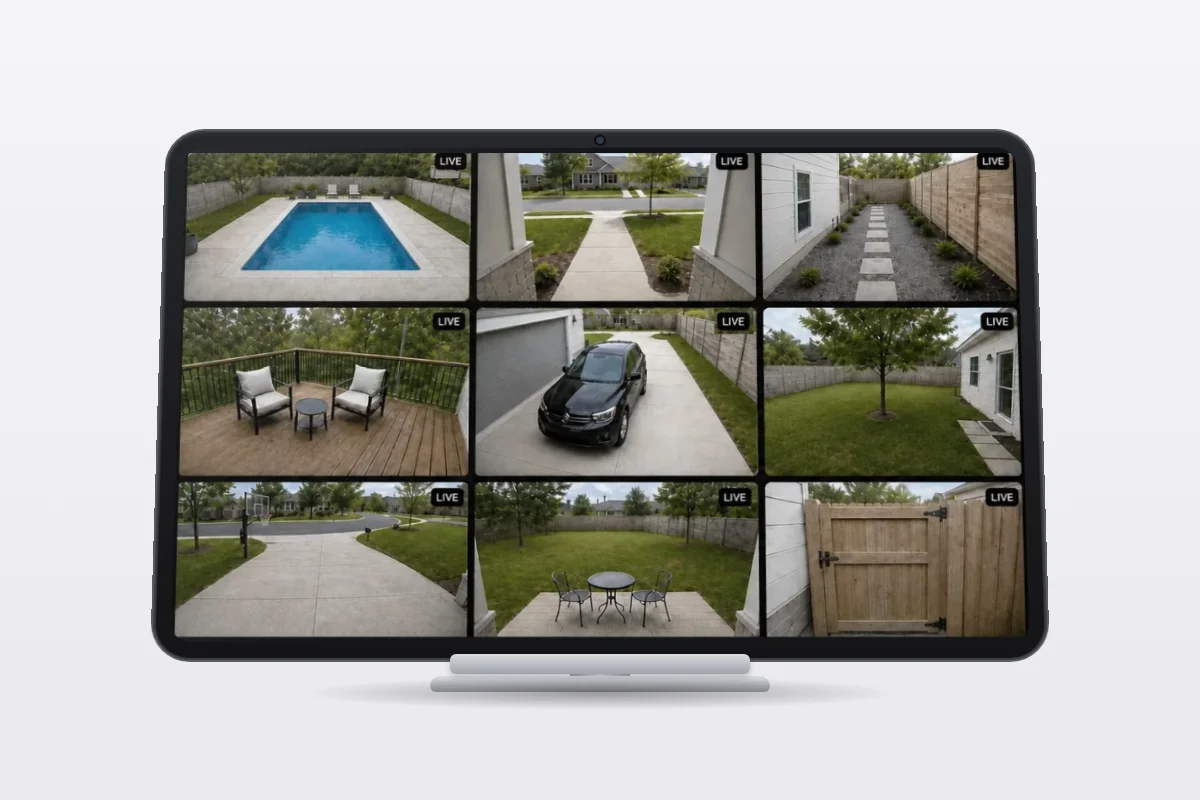
Built for touch.
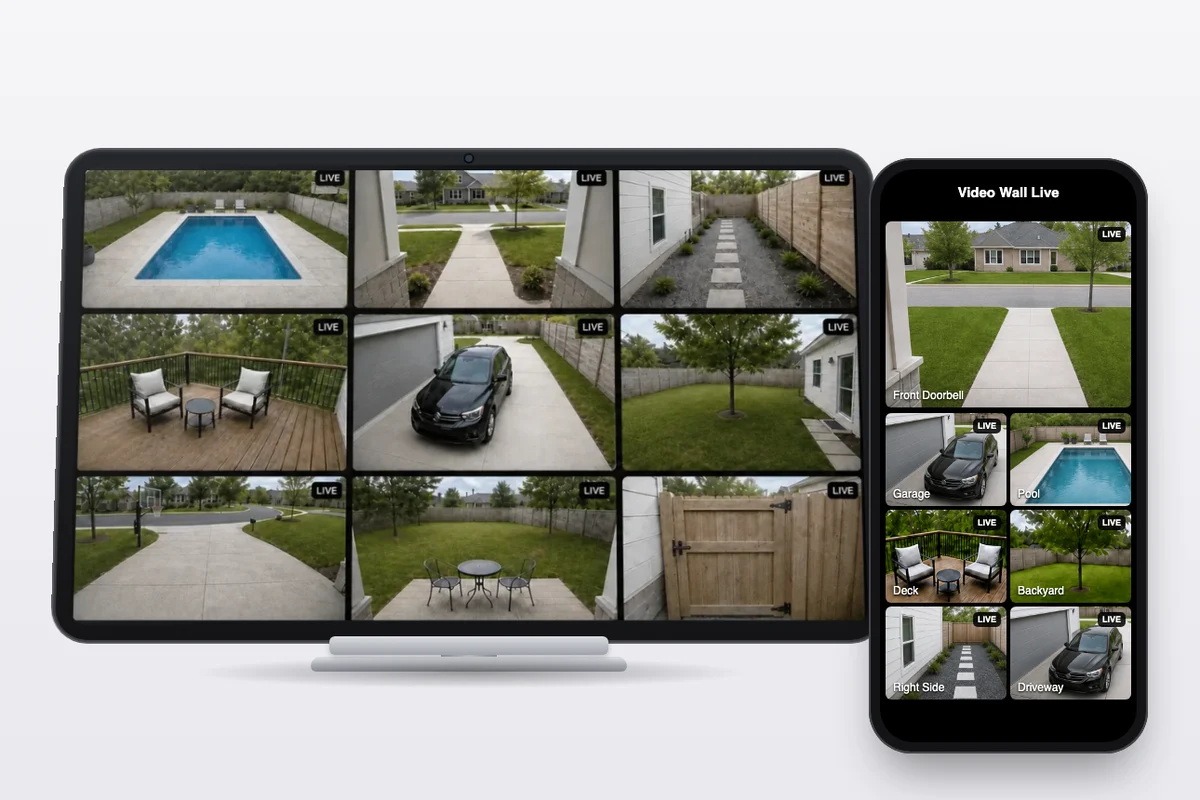
Every Ring camera live at once, in a grid or with one camera large. Tap a camera to open it, hold and drag to move it, double-tap to make it the large one. Set it up in two minutes.
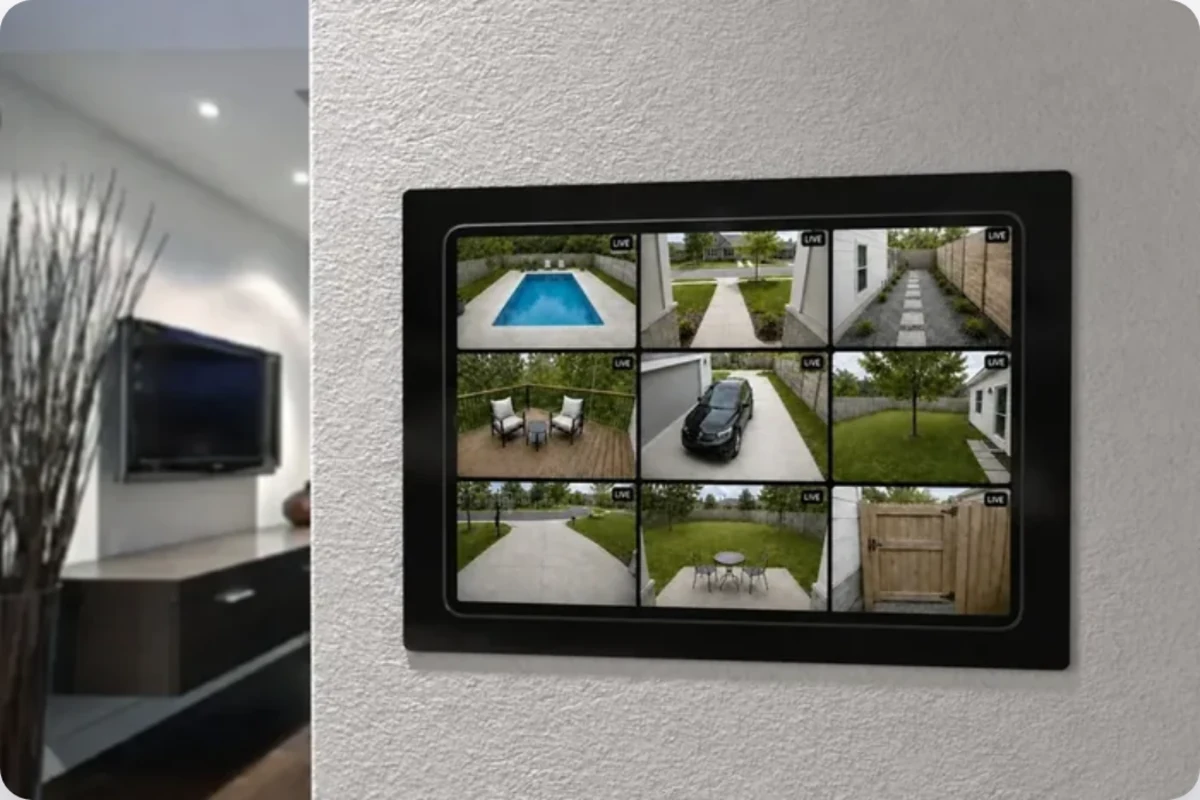
A security monitor on your wall.
Kiosk mode is for a tablet on a stand or the wall: it keeps the screen on and the wall up, can start when the tablet turns on, and dims at night. An old tablet in a drawer becomes the screen by the door.
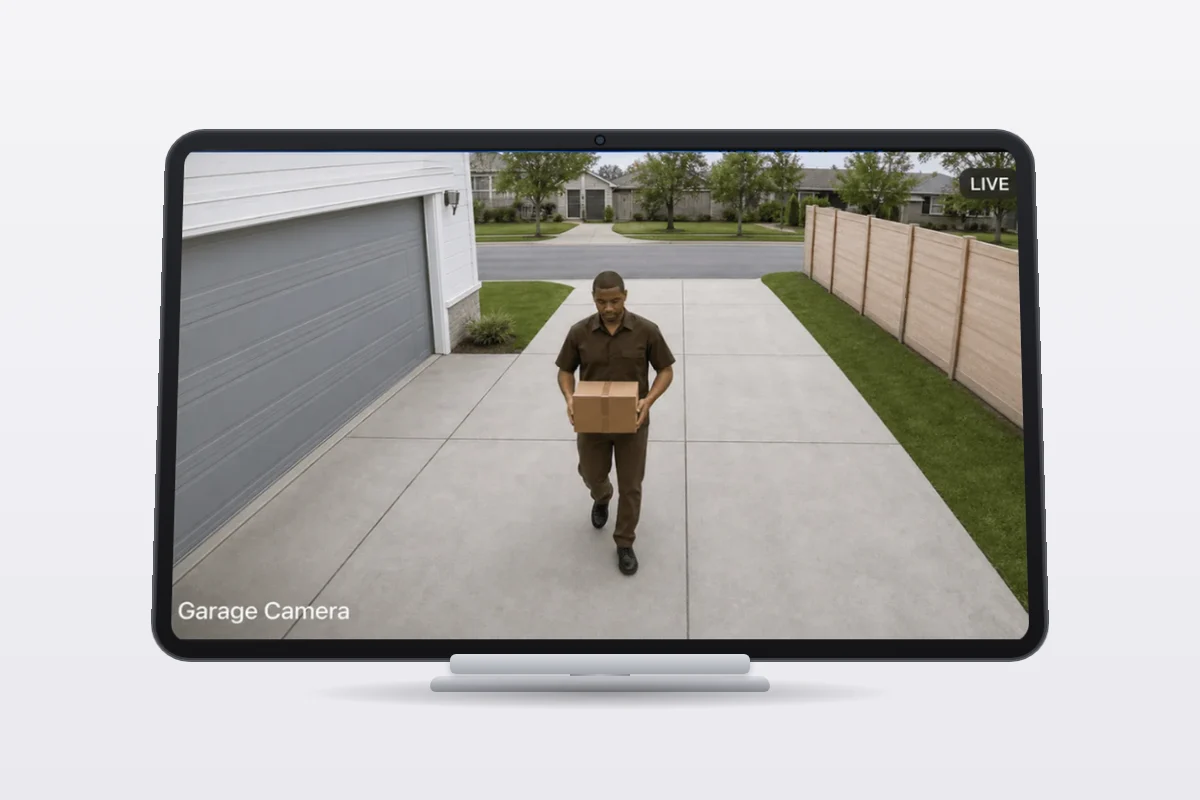
Any camera, full screen.
Tap a camera to fill the screen, pinch to zoom, swipe to the next one. Turn on the doorbell alert and the doorbell camera opens by itself when someone rings, then the wall comes back. Auto-Cycle shows each camera full screen in turn.
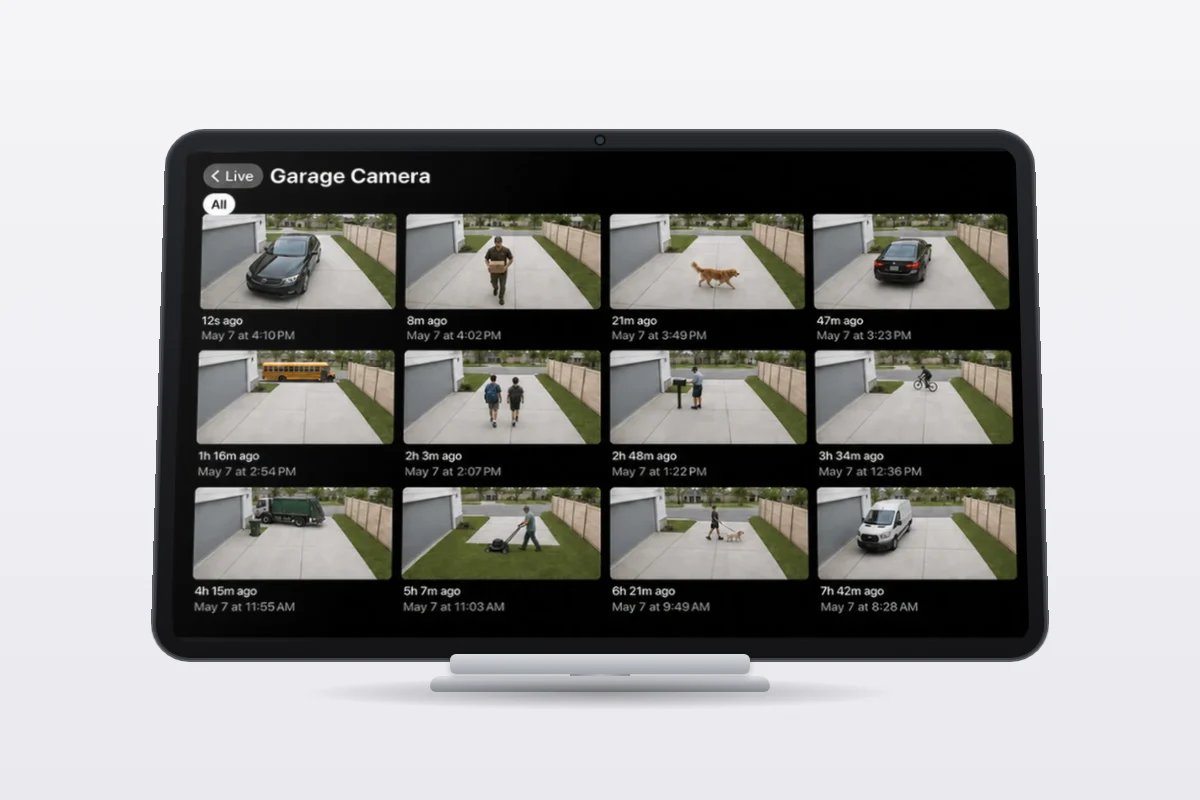
Scroll back through your history.
Recent events for any camera, filtered by Person, Vehicle, Package, Animal, Motion or Doorbell. Tap one to play the clip.
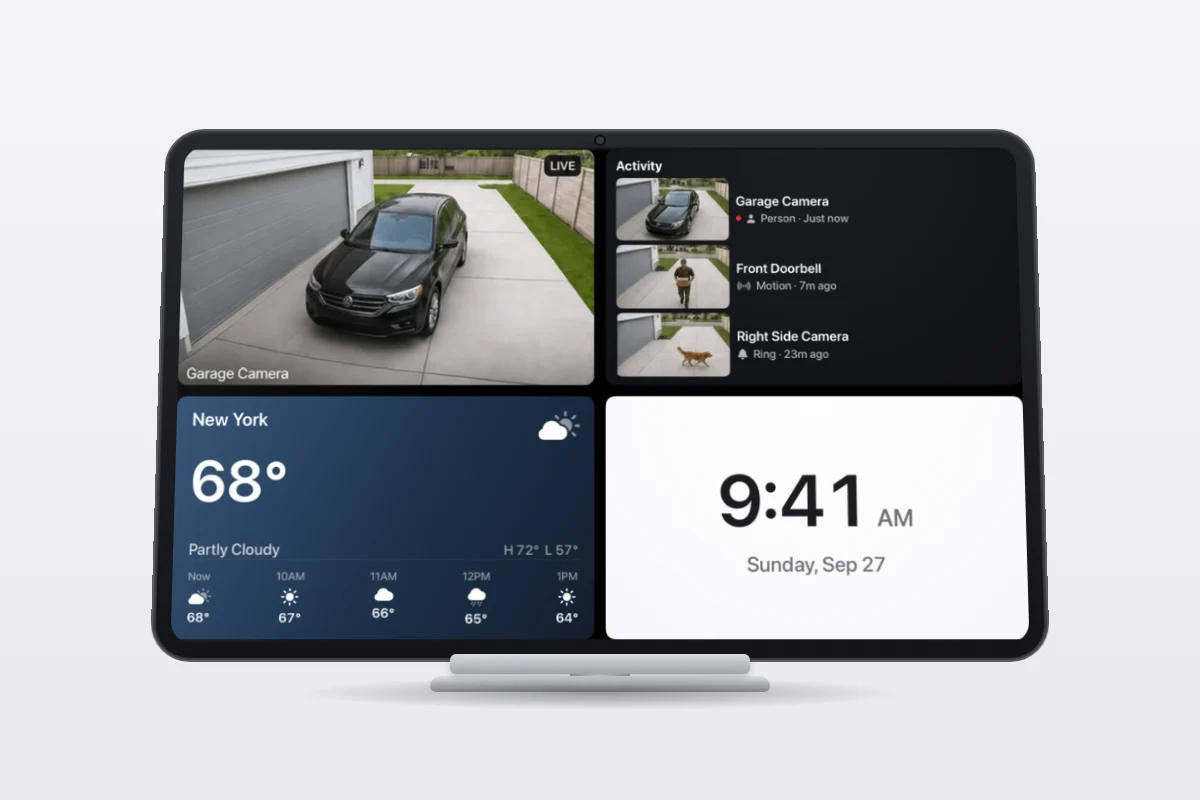
Cameras, clock, weather and activity.
Add a clock, the weather and a list of recent activity as tiles beside your cameras, so the tablet on the counter earns its spot all day. How wall widgets work.
And on your phone.
The same app runs on Android phones. The wall turns with the phone, a camera can float in Picture in Picture while you use other apps, and home screen widgets show the latest picture from your cameras.
There are two ways to watch Ring cameras on a tablet. One is built for checking a camera. Ours is built to stay up.
The Ring app
The app you already have, made for your pocket.
- Built for checking, not watching
- Nothing stays up
- No mode for a mounted screen
Video Wall Live
An app from Google Play, made for a screen that stays on.
That’s the whole list.
Side by side.
- Device
- Any Android tablet or phone
- Android
- Android 9 or later
- Ring
- A Ring account with a Ring Protect plan, and Video Wall Live from the Ring Appstore (free for 30 days)
- Cameras
- Any Ring camera or doorbell
- Internet
- Wi-Fi; each live camera is its own stream
Worth knowing: it sits beside the Ring app. Keep the Ring app for settings, alerts and talking to visitors. Video Wall is the screen that stays on. One Video Wall Live plan on your Ring account covers the tablet along with every TV, computer and browser you use. Already on a TV? Install the app, sign in with your Ring email, and your cameras are there. New to it? Follow the Android setup guide.
Common questions.
Can I use an Android tablet as a Ring camera monitor?
Which Android tablets does it work on?
Can I mount it on a wall and leave it on?
Does it work on an Android phone?
Is this the same as the Google TV app?
How do I sign in?
Is it a separate subscription?
Can I talk to someone at the door?
Every camera.
The big screen.
Video Wall integrates with Ring devices and is available in the Ring Appstore.
Free for 30 days, then $1.99/month per camera. Cancel anytime.