

Find Video Wall in the Ring Appstore
The fastest way to the listing is scanning the QR code on your TV’s pairing screen — but if you can’t scan, here’s how to find it by hand inside the Ring app.
Where it’s available: Video Wall is available in the United States for now. It’s sold as an add-on in the Ring Appstore, which Ring currently offers to US Ring accounts — Ring is opening the store in more countries, and Video Wall will be available in each as it lands.
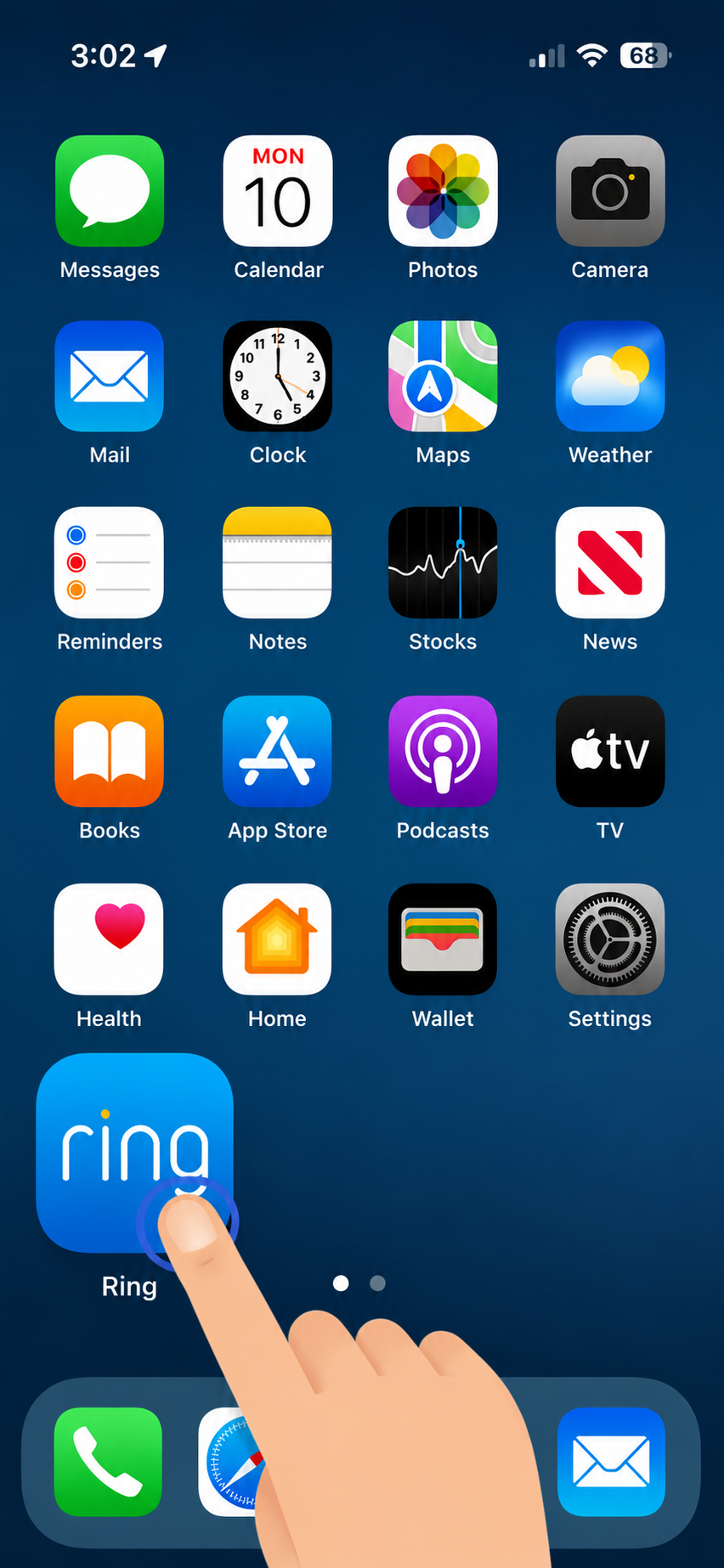
Open the Ring app.
On your phone, tap the Ring app to open it.
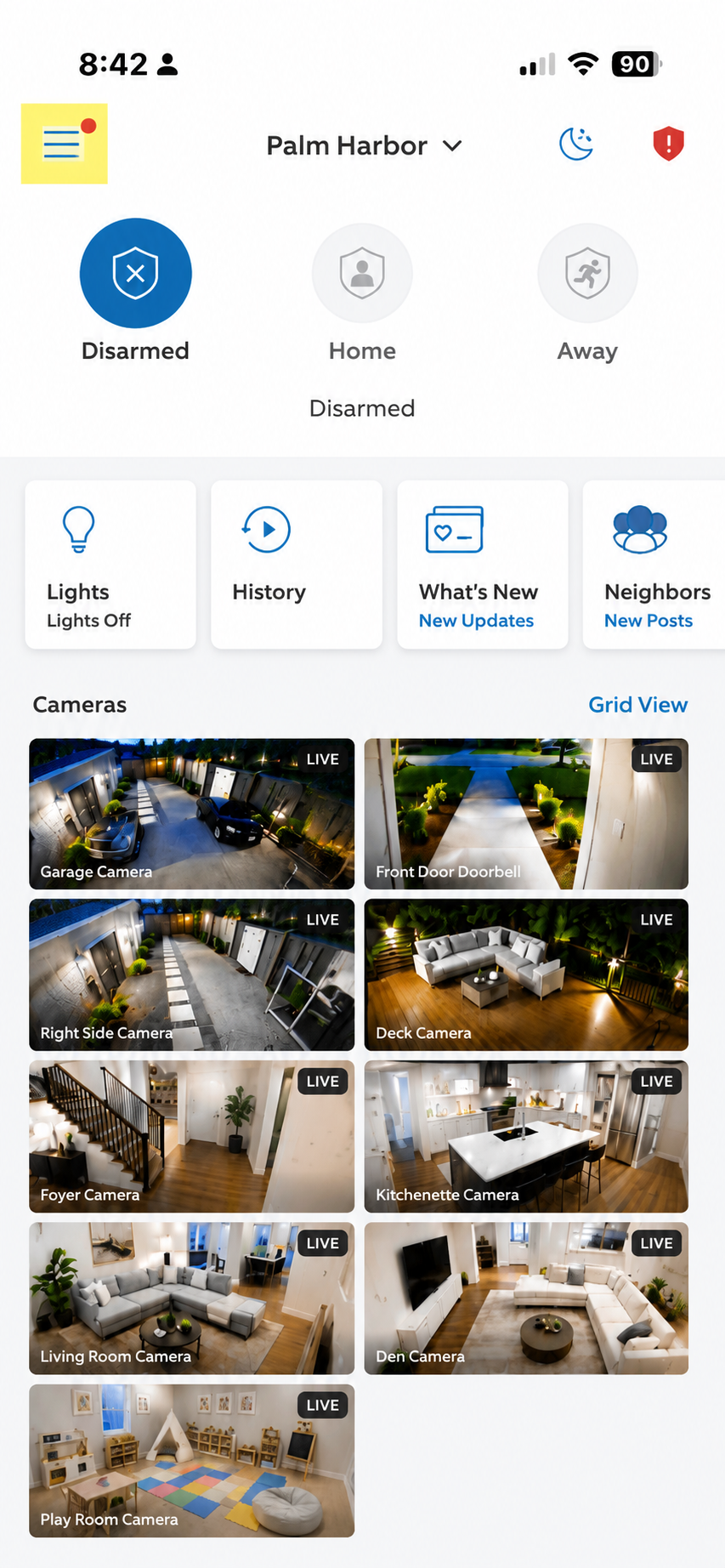
Tap the menu icon.
On the Ring home screen, tap the menu icon in the top-left corner.
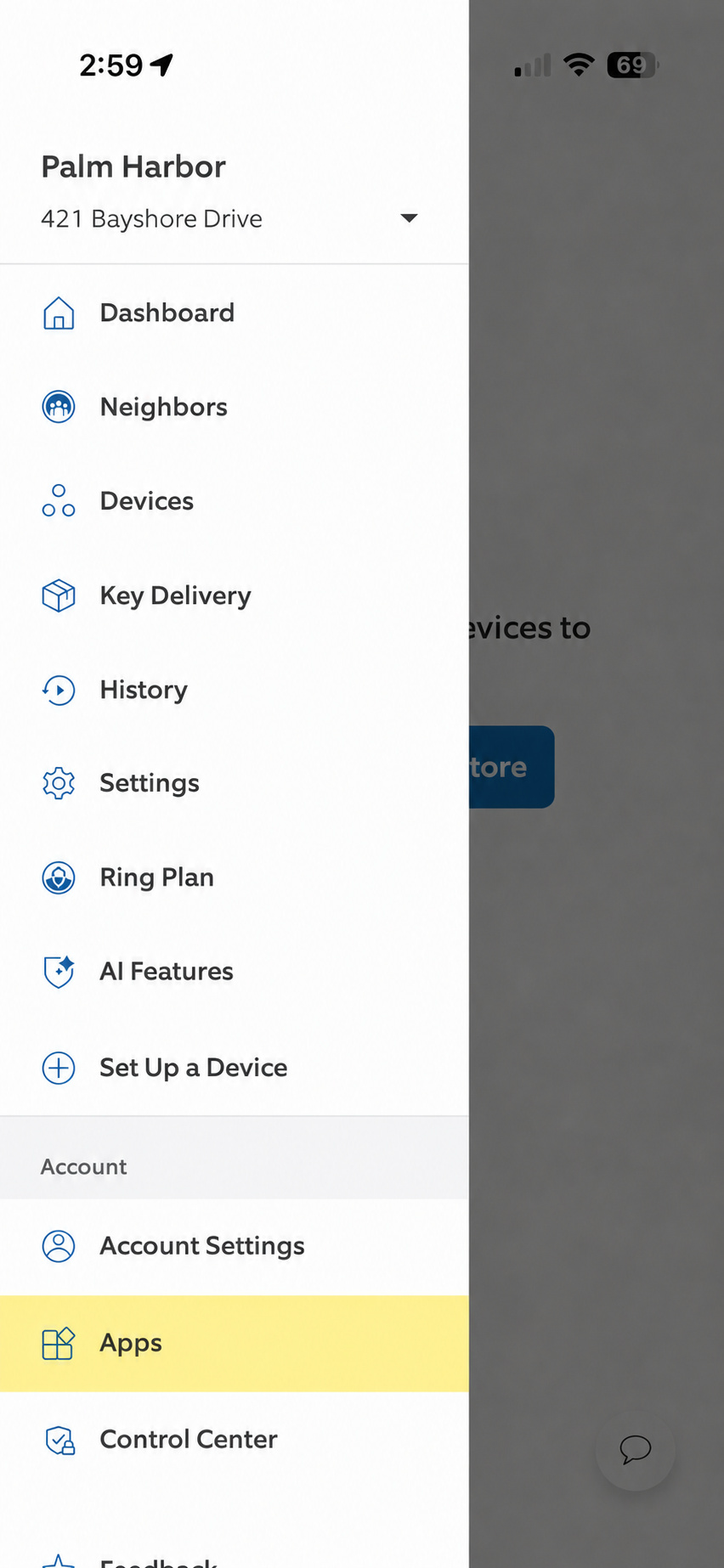
Tap Apps.
From the menu, tap Apps in the sidebar.
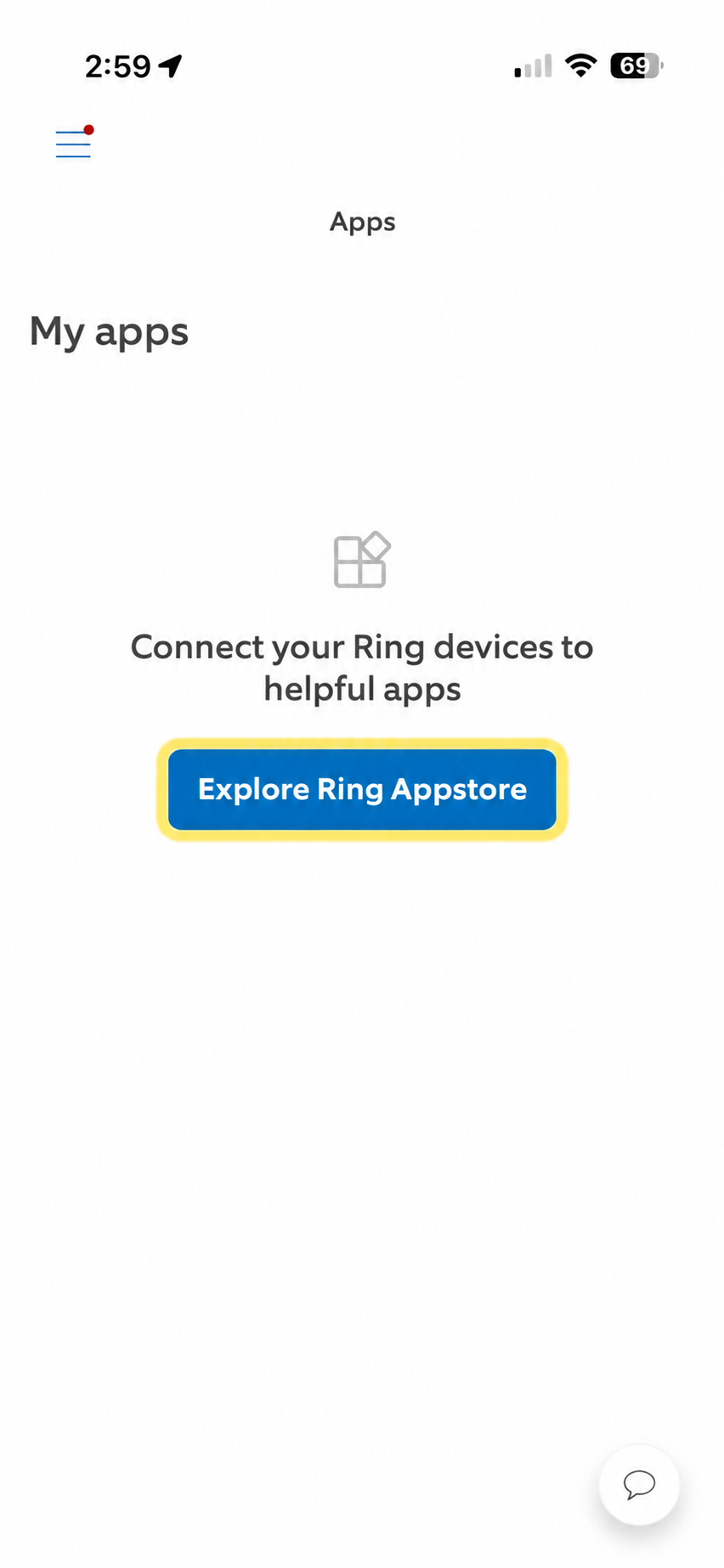
Tap Explore Ring Appstore.
On the My apps screen, tap the Explore Ring Appstore button.
Search Video Wall.
Type Video Wall in the search bar and open the Video Wall Live result.
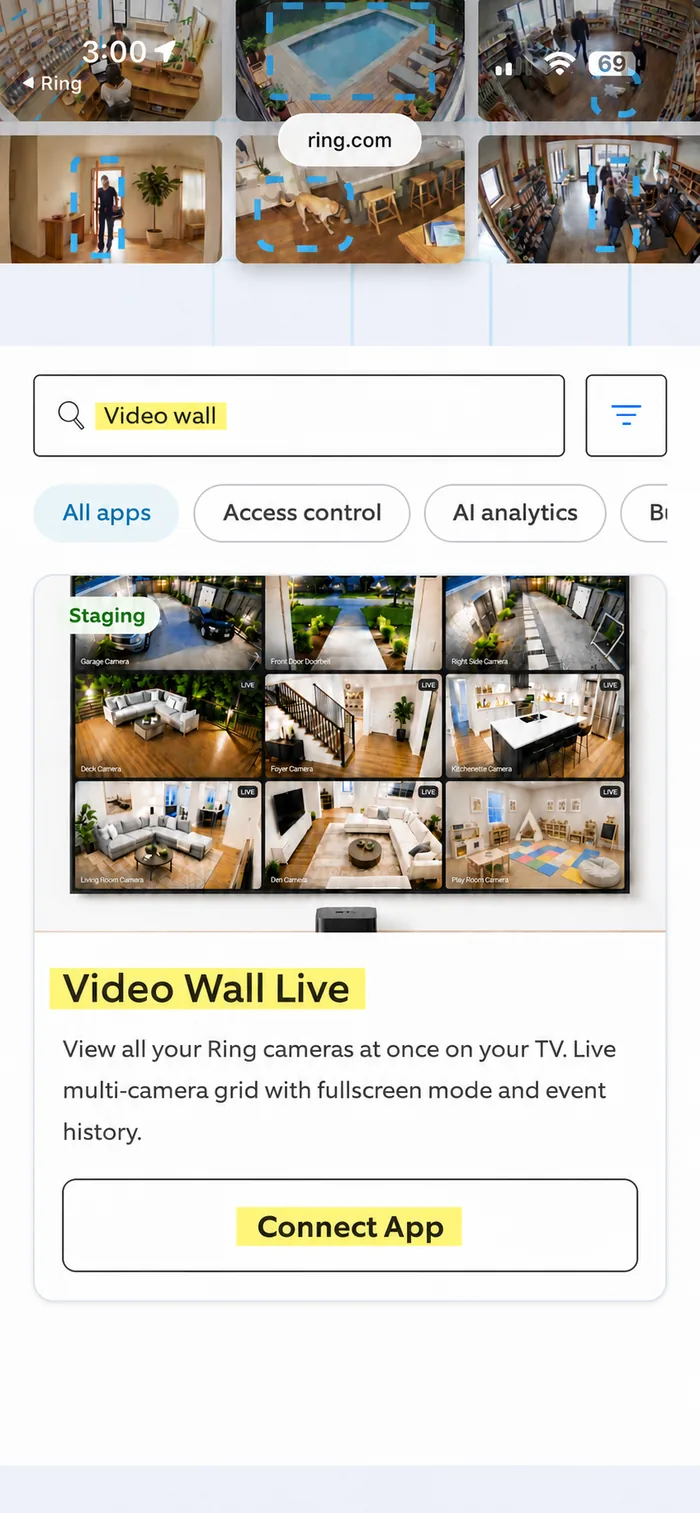
From here: tap Start Free Trial on the listing and pick up your TV’s setup guide from that step.
Apple TV setup · Fire TV setup · Google TV setup · Roku setup · Mac setup · Windows setup · Web Browser setup